
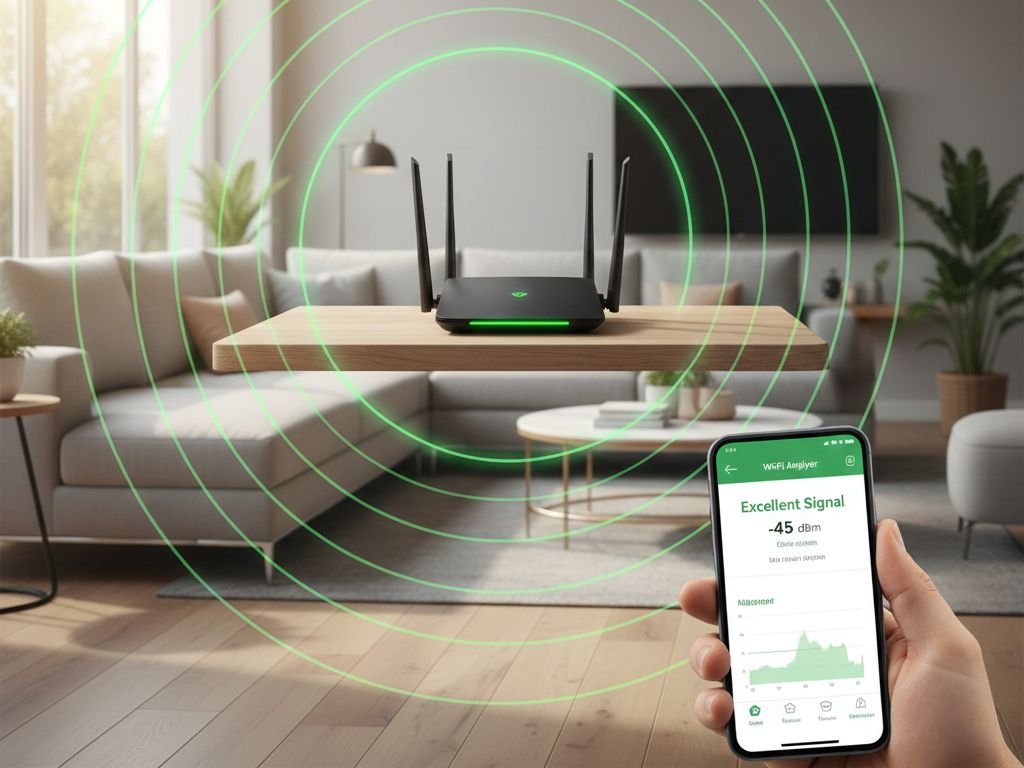
WiFi “dead zones” frustrate millions of homeowners. Streaming buffers in the bedroom. Video calls drop in the home office. Devices disconnect upstairs. The solution seems obvious: buy a mesh WiFi system.
Marketing promises whole-home coverage, seamless roaming, and elimination of all connectivity problems. Tech reviewers praise mesh systems as the future of home networking. But do most homes actually need this technology?
After analyzing WiFi coverage patterns, examining network performance data, and reviewing verified customer experiences across thousands of installations, clear patterns emerge about when mesh systems solve real problems versus when simpler solutions work perfectly well.
Reliable WiFi connectivity supports smart home devices throughout your living space, making proper router setup essential for home automation.
Bottom line: Research shows most homes under 2,000 square feet achieve adequate WiFi coverage with a single quality router properly positioned. Mesh systems solve specific problems—large square footage, concrete/brick construction, multi-story layouts—but represent unnecessary complexity and expense for the majority of users. Strategic router placement and basic troubleshooting eliminate most “dead zone” complaints without additional hardware investment.
🎯 Quick Navigation
- Understanding Mesh WiFi Systems
- When Mesh Actually Makes Sense
- When Single Router Sufficient
- Router Placement Optimization
- Testing Your WiFi Coverage
- ISP Router Reality
- Best Single Routers
- Mesh System Reality Check
- Decision Framework
- FAQ
🌐 Understanding Mesh WiFi Systems
How Mesh Systems Work
Traditional Single Router: One device broadcasts WiFi from a central point. Signal weakens with distance and obstacles.
Mesh System: Multiple nodes (2-3 units) communicate with each other, creating unified network coverage. Devices automatically connect to strongest node.
Key Difference: Mesh uses wireless backhaul (node-to-node communication) which consumes 30-50% of available bandwidth. Wired backhaul (Ethernet between nodes) avoids this but requires cable installation.
✅ When Mesh Systems Actually Make Sense
Strong WiFi forms the foundation of reliable smart home connectivity for everything from security cameras to voice assistants.
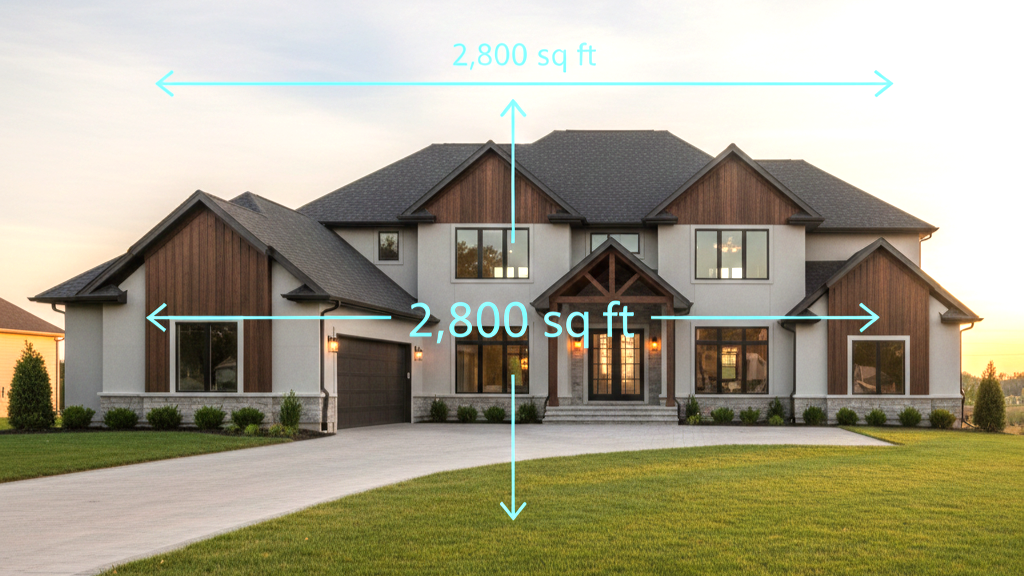
Large Homes (2,500+ sq ft)
Single router cannot physically cover this distance. Multiple nodes extend coverage without range extenders that halve bandwidth.
Typical scenarios: Multi-level homes, ranch-style with long hallways, split-levels, detached structures needing connectivity.
Challenging Construction Materials
Concrete, brick, metal framing absorb and block WiFi signals significantly. Single wall can reduce signal 70-90%. Positioning nodes on both sides of blocking materials provides dedicated coverage without signal penetration.
Multi-Story Homes with Thick Floors
WiFi spreads horizontally better than vertically. Two-story homes with concrete or dense wood floors experience significant floor-to-floor signal loss. Node on each floor addresses this limitation.
Complex Floor Plans
L-shaped or U-shaped layouts where central router placement impossible. Mesh provides flexibility for actual room arrangement rather than fighting physics.
Outdoor Coverage Requirements
Backyard, patio, pool area, or detached garage. Outdoor-rated mesh node extends beyond walls where single router cannot reach.
🏠 When a Single Router Is Sufficient

Most Common Scenarios
Homes Under 2,000 Square Feet: Modern routers cover 1,500-2,500 sq ft from central location. Standard construction (wood frame, drywall) allows adequate signal penetration.
Like other home technology decisions, WiFi equipment should match actual needs rather than marketing claims.
Single-Story Floor Plans: Horizontal WiFi propagation superior to vertical. Ranch homes, condos, apartments up to 1,800 sq ft consistently achieve good coverage with proper placement.
Central Router Placement Possible: If floor plan allows central positioning, single router covers most layouts effectively. Main floor utility closet, central hallway, or living room placement equalizes distance to all areas.
Standard Construction Materials: Wood framing, drywall, laminate flooring, glass—these common materials permit sufficient signal penetration for single-router coverage.
Typical Device Count (10-25 devices): Modern routers handle 20-30+ simultaneous connections. Average household rarely approaches these limits.
📍 Router Placement: The Free Solution
Why Placement Matters More Than Hardware
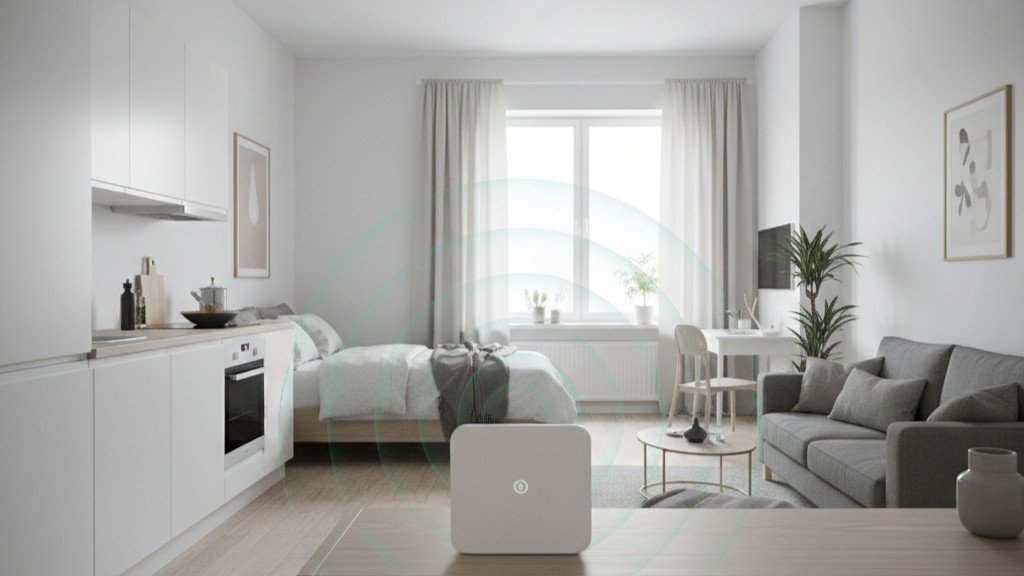
Physics of WiFi: Radio waves spread from source in all directions, weakening with distance and obstruction. Optimal placement maximizes coverage by minimizing distance and obstacles to devices.
Common Mistake: Routers placed where internet enters home (often basement, garage, or exterior wall) rather than where actually needed for device use.
Optimal Router Placement Principles
Elevation Matters:
- Place router 3-6 feet off ground
- Reduces furniture and floor-level interference
- Improves line-of-sight to devices
- Shelf, desk, or wall mount ideal
Central Location:
- Physical center of home provides equal distance to all areas
- Measure actual floor plan, not just estimate
- Consider where devices actually used, not just square footage
Avoid Dead Zones Behind Router:
- WiFi antennas typically broadcast away from device
- Position router facing toward areas needing coverage
- Back of router should face exterior walls or unused areas
Minimize Obstructions:
- Avoid placing inside cabinets or closets
- Keep away from metal furniture, filing cabinets
- Distance from large appliances (refrigerators, washing machines)
- Separate from aquariums (water blocks signals)
Distance from Interference Sources:
- 3+ feet from microwave ovens
- Away from baby monitors (2.4GHz interference)
- Separate from cordless phone bases
- Distance from Bluetooth speakers
Room-by-Room Strategy
Living Room Placement:
- Often central to home layout
- Elevate above TV/entertainment center
- Use shelf or wall bracket
- Avoid hiding behind TV (metal creates dead zone)
Office/Den Placement:
- Good if centrally located
- Provides strongest signal where often needed
- Ensures work-from-home reliability
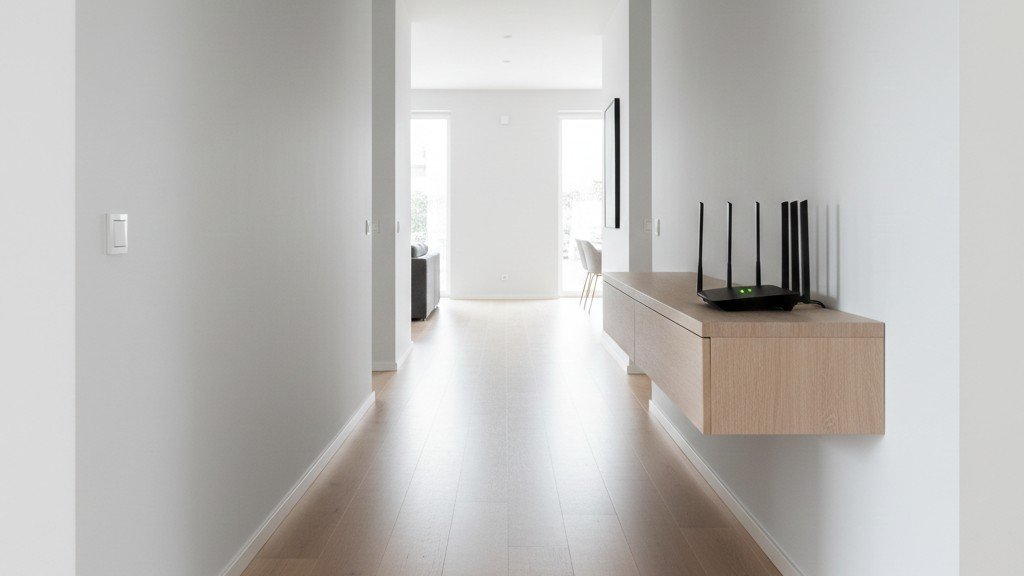
Hallway Placement:
- Excellent for central coverage
- Reduces furniture obstacles
- Often allows elevation easily
Kitchen Placement:
- Avoid if possible (appliances interfere)
- If necessary, mount high and away from microwave
- Better as last resort than first choice
Antenna Orientation (If Adjustable)
Directional Principle: WiFi antennas broadcast perpendicular to their orientation.
Vertical Antennas:
- Broadcast horizontally (left/right)
- Good for single-story coverage
Horizontal Antennas:
- Broadcast vertically (up/down)
- Better for multi-story coverage
Optimal Configuration:
- Mix vertical and horizontal if multiple antennas
- Perpendicular angles maximize coverage diversity
Running Ethernet for Better Placement
The Ultimate Solution: If internet entry point non-central, running Ethernet cable to optimal location provides best possible single-router performance.
Implementation:
- Professional installation (electrician or network tech)
- DIY with cable runs through walls/attic
- Surface-mount cable covers for visible runs
- Powerline adapters as alternative (less reliable)
When Justified: If Ethernet run enables central router placement, one-time effort eliminates need for mesh system in many cases.
📊 How to Test Your WiFi Coverage
Before Buying Mesh
Critical Step: Actual coverage testing reveals whether mesh truly necessary or if simpler solutions suffice. Many users purchase mesh without establishing baseline performance.
Coverage Testing Tools
Smartphone Apps (Free):
WiFi Analyzer (Android):
- Shows signal strength throughout home
- Identifies channel congestion
- Maps coverage visually
NetSpot (iOS/Mac/Windows):
- Creates heat map of WiFi coverage
- Shows signal strength room-by-room
- Identifies specific dead zones
WiFi Sweetspots (iOS):
- Simple signal strength testing
- Good for quick room checks
Speed Test Apps:
- Ookla Speedtest
- Fast.com (Netflix)
- Test actual throughput in each location
Systematic Testing Process
Step 1: Baseline Measurement
- Test signal strength near router (should be excellent)
- Record speed test results
- Establishes maximum potential performance
Step 2: Room-by-Room Testing
- Test each room where devices used
- Record signal strength (dBm reading)
- Note actual speeds achieved
- Document problem areas specifically

Step 3: Map Results
- Create simple floor plan sketch
- Mark signal strength in each area
- Identify patterns (where/why weak)
Step 4: Analyze Findings
- Where are actual problems (not assumptions)?
- How severe are weak signals?
- Do speeds meet needs in weak areas?
Interpreting Signal Strength
dBm Scale (Closer to 0 is Stronger):
- -30 to -50 dBm: Excellent (near router)
- -50 to -60 dBm: Very Good (most activities work well)
- -60 to -70 dBm: Fair (basic tasks okay, streaming may buffer)
- -70 to -80 dBm: Poor (frequent disconnections, slow speeds)
- Below -80 dBm: Unusable
Practical Threshold: Signals above -70 dBm typically adequate for web browsing, email, and standard definition streaming. Below -70 dBm creates noticeable problems.
Speed Requirements
Activity-Based Needs:
Web Browsing/Email: 1-5 Mbps sufficient
HD Video Streaming: 5-10 Mbps per stream
4K Video Streaming: 25 Mbps per stream
Video Conferencing: 3-5 Mbps
Online Gaming: 3-10 Mbps (latency matters more than speed)
Large Downloads: More speed better but not constant need
Household Total: Add simultaneous usage to determine needed bandwidth. Many homes overestimate requirements.
Testing After Router Repositioning
Optimization Process:
- Test baseline from current location
- Move router to more central location
- Re-test all rooms
- Compare results
Analysis shows repositioning alone often improves coverage 30-50% without hardware changes.
🔌 ISP-Provided Routers: Better Than You Think
The ISP Router Reputation
Common Perception: Internet service provider equipment viewed as low-quality, underpowered, and inadequate compared to retail routers.
Historical Context: Older ISP routers (5-10 years ago) often were inferior. Modern units improved significantly due to competition and customer demands.
Modern ISP Router Reality
Current Equipment: Most major ISPs now provide:
- Dual-band WiFi (2.4GHz + 5GHz)
- AC or WiFi 6 standards
- Adequate coverage for 1,200-1,800 square feet
- Sufficient capacity for typical households
Examples of Capable ISP Equipment:
- Xfinity xFi Gateway (WiFi 6)
- AT&T BGW320 (WiFi 6)
- Verizon Fios Router (WiFi 6)
- Spectrum Advanced WiFi Router
When ISP Router Works Fine
Adequate Scenarios:
- Apartment or condo under 1,500 sq ft
- Single-story home under 1,800 sq ft
- Modest device count (under 20 devices)
- Standard usage (streaming, browsing, email)
Performance Reality: Customer review analysis reveals satisfaction with ISP routers higher than tech community suggests. Most complaints stem from poor placement or unrealistic expectations rather than hardware limitations.
ISP Router Limitations
When Upgrade Makes Sense:
Advanced Features Missing:
- Limited parental controls
- Basic guest network implementation
- No quality of service (QoS) settings
- Minimal customization options
Performance Ceilings:
- May struggle with 30+ simultaneous devices
- Lower throughput than premium routers
- Less sophisticated antenna designs
Rental Fees: Monthly equipment fees add up over time. Purchasing own router eliminates ongoing cost if service continues long-term.
Testing ISP Router First
Sensible Approach: Before purchasing mesh or premium router, test ISP-provided equipment with optimal placement. Many users discover adequate performance without additional investment.
Upgrade Decision: If ISP router tested properly positioned still creates coverage or performance issues, then retail router or mesh system justified. Establish baseline prevents unnecessary spending.
🏆 Best Single Routers That Eliminate Mesh Need
What Makes a Router “Mesh-Killer”
Key Characteristics:
- Strong WiFi radio power (high TX power)
- Quality antenna design (external or beamforming)
- Wide coverage area (2,000+ sq ft)
- High device capacity (25+ connections)
- Reliable performance under load
WiFi 6 (802.11ax) Routers
Technology Advantages:
- OFDMA (efficient multi-device handling)
- Better 2.4GHz performance than WiFi 5
- Improved range in congested environments
- Target Wake Time (better for smart home devices)
Why WiFi 6 Matters: Even for homes without WiFi 6 devices, these routers often deliver better coverage and multi-device performance due to underlying technology improvements.
📡 Recommended Single Routers
TP-Link Archer AX55 (AX3000) – Best for Most Homes
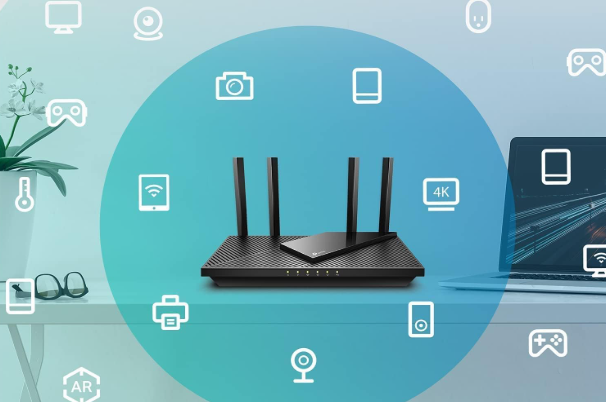
Best for: Standard homes 1,500-2,000 sq ft wanting reliable coverage without mesh
The AX55 represents the sweet spot—sufficient WiFi 6 performance and coverage that eliminates mesh necessity for typical home sizes. This router proves proper equipment positioned correctly solves problems without additional nodes.
Key Features:
- WiFi 6 (AX3000) with OFDMA and MU-MIMO
- Four high-gain antennas for extended coverage
- EasyMesh compatible (expand only if truly needed)
- VPN client and server built-in
- HomeShield network security
- USB 3.0 port, Gigabit Ethernet
Who Should Buy: Households in 1,500-2,000 sq ft homes, families with 15-25 devices, those preferring simple setup
Who Should Skip: Homes over 2,500 sq ft, concrete/brick construction, need WiFi 7

- Next-Gen Gigabit Wi-Fi 6 Speeds: 2402 Mbps on 5 GHz and 574 Mbps on 2.4 GHz bands ensure smoother streaming and faster d…
TP-Link Archer AX21 (AX1800) – Best Budget Choice
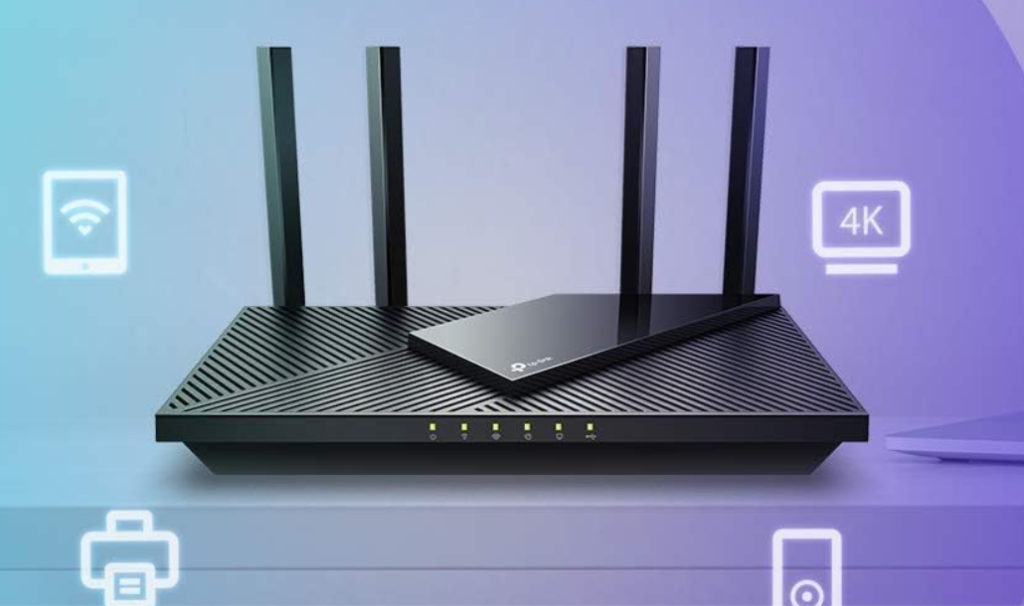
Best for: Budget-conscious buyers wanting WiFi 6 without premium pricing
The AX21 achieves WiFi 6 at entry-level pricing. Perfect for disproving mesh necessity in smaller spaces.
Key Features:
- WiFi 6 (AX1800) speeds
- Dual-band coverage up to 1,500 sq ft
- “Certified for Humans” easy setup
- Works with Alexa
- EasyMesh compatible
- Gigabit Ethernet ports
Who Should Buy: Budget constraints, apartments under 1,200 sq ft, first-time buyers, testing if single router adequate
Who Should Skip: Homes over 1,800 sq ft, need advanced features (VPN, QoS), 25+ simultaneous devices

- VPN SERVER: Archer AX21 Supports both Open VPN Server and PPTP VPN Server
ASUS RT-AX3000 – Best for Quality and Features
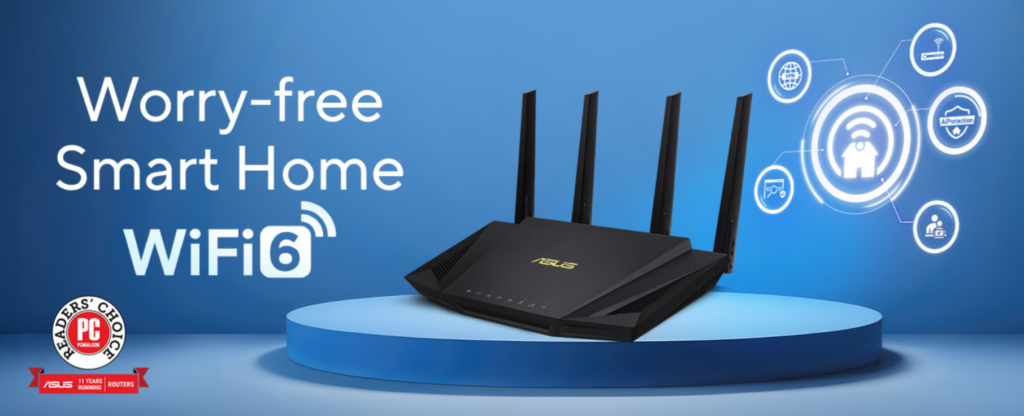
Best for: Users wanting premium features and ASUS ecosystem quality
The RT-AX3000 delivers enterprise-grade features. AiProtection Pro by Trend Micro, adaptive QoS, and AiMesh compatibility provide flexibility and security.
Key Features:
- WiFi 6 (AX3000) with advanced beamforming
- AiProtection Pro powered by Trend Micro (lifetime free)
- Adaptive QoS for intelligent traffic prioritization
- AiMesh compatible (convert to mesh later if needed)
- USB 3.0 port, four Gigabit LAN ports
Who Should Buy: Quality-focused buyers, security-conscious users, ASUS ecosystem owners, work-from-home priority
Who Should Skip: Strict budget, want WiFi 7, won’t utilize advanced features

- Maximum Range : 3000 Sq Ft.Power Supply: AC Input …
TP-Link Archer BE230 (BE3600) – Best WiFi 7 Future-Proof
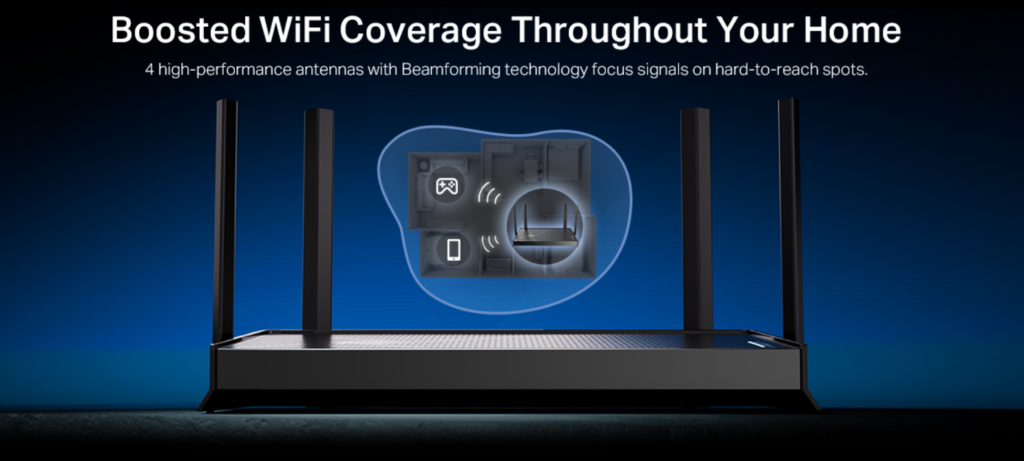
Best for: Tech enthusiasts wanting latest technology and keeping router 5+ years
The BE230 brings WiFi 7 to home networking, providing cutting-edge performance and future compatibility.
Key Features:
- WiFi 7 (BE3600) with MLO (Multi-Link Operation)
- 2×2.5G ports + 3×1G LAN (high-speed wired)
- 2.0 GHz quad-core processor
- Four optimized antennas
- EasyMesh compatible
- Private IoT network
Who Should Buy: Planning to keep router 5+ years, early adopters, gamers, multi-gigabit internet
Who Should Skip: Budget-conscious (WiFi 6 sufficient currently), upgrading every 2-3 years

- 𝐅𝐮𝐭𝐮𝐫𝐞-𝐏𝐫𝐨𝐨𝐟 𝐘𝐨𝐮𝐫 𝐇𝐨𝐦𝐞 𝐖𝐢𝐭𝐡 𝐖𝐢-𝐅𝐢 𝟕: Powered by Wi…
📊 Router Comparison
| Router | Coverage | Key Advantage | Best For |
|---|---|---|---|
| TP-Link AX55 | 1,500-2,000 sq ft | Best overall balance | Most homes |
| TP-Link AX21 | 1,200-1,500 sq ft | Best price/performance | Budget buyers |
| ASUS RT-AX3000 | 1,500-2,000 sq ft | Premium features | Quality focus |
| TP-Link BE230 | 1,800-2,200 sq ft | Latest WiFi 7 | Future-proof |
Best Single Router Categories
Best for Large Homes (Up to 2,500 sq ft):
High-power routers with tri-band configurations and multiple external antennas provide maximum single-device coverage. These units approach mesh coverage without additional nodes.
Features to Look For:
- 4+ external high-gain antennas
- Tri-band (one 2.4GHz + two 5GHz)
- WiFi 6 or WiFi 6E
- 1.5+ GHz processor
- 512MB+ RAM
Best for Standard Homes (1,500-2,000 sq ft):
Quality dual-band WiFi 6 routers cover most standard construction homes effectively from central placement.
Sufficient Specifications:
- Dual-band (2.4GHz + 5GHz)
- WiFi 6 (802.11ax)
- 3-4 antennas (external or internal)
- MU-MIMO support
- Beamforming technology
Best for Apartments/Condos:
Compact routers with good performance in smaller spaces, handling interference from neighboring networks.
Key Features:
- Excellent 5GHz performance (less congestion)
- Band steering
- DFS channel support (avoids crowded channels)
- Good cooling (reliability)
Best Budget Options:
Reliable routers covering 1,200-1,500 square feet effectively without premium pricing.
Adequate Specs:
- WiFi 5 (AC) acceptable for budget
- Dual-band minimum
- 2-3 antennas
- Gigabit Ethernet ports
Router Features That Actually Matter
Essential Features:
- WiFi 6: Meaningful improvement for multi-device homes
- MU-MIMO: Simultaneous communication with multiple devices
- Beamforming: Focuses signal toward devices, extends range
- QoS: Prioritizes important traffic (video calls over downloads)
Nice-to-Have:
- Guest network, USB ports, app control
Skip:
- RGB lighting, excessive antenna count (4+ diminishing returns), “gaming” marketing labels
📉 Mesh System Reality Check
Marketing Claims vs Reality
Claim: “Eliminates All Dead Zones” Reality: Physics still applies. Poorly positioned nodes create gaps. Placement requires trial and error.
Claim: “Seamless Roaming” Reality: Device behavior matters more than mesh system. Some devices stick to weak nodes.
Claim: “Professional Performance” Reality: Consumer mesh uses wireless backhaul reducing bandwidth 30-50%. Professional systems use wired backhaul.
Wireless Backhaul Bandwidth Cost
When nodes communicate wirelessly, they consume WiFi bandwidth:
- Two nodes: 40-50% bandwidth reduction
- Three nodes: 50-60% bandwidth reduction
Solution: Wired backhaul (Ethernet between nodes) eliminates this but requires installation.
When Mesh Underperforms
Common disappointments:
- Small homes (1,200-1,500 sq ft) see minimal improvement over proper single router
- Construction materials still block signals (mesh helps but doesn’t eliminate physics)
- Speed expectations unmet (distant areas slower even with mesh)
🤔 Decision Framework: Do You Need Mesh?
The Logical Approach
Step 1: Measure Current Performance
- Test WiFi coverage systematically
- Identify specific problem areas
- Document actual speeds in weak zones
- Establish baseline objectively
Step 2: Optimize Current Setup
- Reposition router centrally
- Elevate router off floor
- Eliminate nearby interference sources
- Re-test coverage after changes
Step 3: Evaluate Results
- Did repositioning solve problems?
- Are remaining issues severe or minor?
- Do weak areas matter for device usage?
Step 4: Consider Home Characteristics
- Total square footage
- Number of stories
- Construction materials
- Floor plan complexity
Step 5: Assess Alternatives
- Would better single router suffice?
- Is wired backhaul mesh possible?
- Do problems justify mesh investment?
Choose Single Router If:
✅ Home under 2,000 square feet
✅ Single-story or two-story standard construction
✅ Central router placement possible
✅ Standard wood frame with drywall
✅ Current weak areas measure -65 to -70 dBm (borderline usable)
✅ Budget-conscious buyer
✅ Prefer simplicity over complexity
Choose Mesh System If:
✅ Home over 2,500 square feet
✅ Multi-story with thick floors
✅ Concrete, brick, or metal construction
✅ Complex floor plan preventing central placement
✅ Outdoor coverage requirement
✅ Multiple simultaneous 4K streams in distant rooms
✅ Wired backhaul possible (Ethernet between nodes)
✅ Current weak areas measure below -75 dBm (unusable)
The Middle Ground
Neither May Be Necessary:
Before investing in hardware, consider:
- ISP router with optimal placement may suffice
- WiFi coverage needs may be overestimated
- Device-specific issues (old WiFi adapter) may be culprit
- Interference sources may be solvable without hardware
Alternative Solutions:
WiFi Range Extenders: Budget option for extending coverage to single problem area. Not as seamless as mesh but costs less and simpler for targeted solutions.
Powerline WiFi: Uses electrical wiring to extend network. Variable performance but worth considering for specific problem rooms.
MoCA Adapters: Uses coaxial cable (cable TV wiring) for network extension. Excellent performance if coax available throughout home.
❓ Frequently Asked Questions
Do I really need WiFi 6?
For Most Users: No, not essential currently.
WiFi 6 Benefits:
- Better multi-device performance
- Improved battery life on WiFi 6 devices
- Less congestion in dense environments
- Future-proofing as more devices adopt WiFi 6
When to Prioritize:
- Purchasing new router anyway (might as well get WiFi 6)
- Many simultaneous devices (10+ active)
- Anticipating keeping router 5+ years
When WiFi 5 Sufficient:
- Fewer devices (under 10 active)
- Budget priority
- Adequate coverage with WiFi 5 equipment
Verdict: Nice upgrade but not mandatory. Coverage quality matters more than WiFi generation for most homes.
How many devices can a router handle?
Manufacturer Claims vs Reality:
Marketing often claims “40+ devices” or “50+ devices.” Practical limits depend on usage, not just connection count.
Real-World Capacity:
Quality WiFi 6 Router:
- 25-35 active devices (typical use)
- 15-25 high-bandwidth devices simultaneously
Standard WiFi 5 Router:
- 15-25 active devices comfortably
- 10-15 high-bandwidth devices simultaneously
ISP Router:
- 10-20 active devices typical
- May struggle with 15+ high-bandwidth devices
What “Active” Means: Connected but idle devices (smart home sensors, printers) use minimal resources. Streaming video, video calls, gaming, downloads count as “active” and strain capacity.
Household Reality: Average home has 10-15 devices. Most families not approaching router limits unless extensive smart home installation or multiple simultaneous 4K streams.
Will mesh system make my internet faster?
Short Answer: No, mesh doesn’t increase internet speed.
What Mesh Does:
- Extends WiFi coverage to areas with weak signal
- May improve speeds in previously weak areas (from poor to adequate)
- Maintains connection in areas where previously dropped
What Mesh Doesn’t Do:
- Cannot exceed internet service plan speed
- Doesn’t make strong signal areas faster
- Wireless backhaul may actually reduce overall throughput
Speed Expectations: If you have 100 Mbps internet plan and achieving 90+ Mbps near router, mesh won’t increase that. It may help distant areas reach closer to plan speed if currently much slower.
Increasing Internet Speed: Requires faster service plan from ISP, not hardware changes. Router only delivers what ISP provides.
Can I mix mesh brands?
No. Mesh systems proprietary and brand-specific.
Why Restriction Exists: Mesh nodes must communicate using manufacturer’s specific protocols and software. Different brands cannot interoperate.
Implications:
- Committed to single ecosystem
- Expansion requires same-brand nodes
- Cannot gradually transition between systems
- Switching brands means replacing entire system
Alternatives: Some routers support “mesh-like” features (OneMesh, AiMesh) that work with same-brand traditional routers/extenders. Still limited to manufacturer ecosystem but provides more flexibility.
How often should I replace my router?
Lifespan Considerations:
Functional Lifespan: Quality routers typically function 5-8 years with proper ventilation and reasonable conditions.
Practical Replacement Timeline:
Every 3-4 Years: Recommended if keeping current with WiFi standards and security updates. Provides access to latest technology and ensures compatibility with new devices.
Every 5-6 Years: Acceptable for budget-conscious users. Router still functions but may lack features of newer equipment.
Only When Breaking: Technically possible but risks using outdated security standards and missing compatibility with newer devices.
Signs to Replace:
- Frequent drops or crashes requiring resets
- No longer receives firmware updates
- Doesn’t support WPA3 security (older than 2018)
- Insufficient coverage after repositioning attempts
- Cannot maintain speeds from modern internet plans
- Overheating or physical damage
Preventive Maintenance:
- Keep router ventilated (don’t stack items on top)
- Update firmware when available
- Restart monthly (prevents memory issues)
- Keep away from heat sources
What about WiFi 6E?
WiFi 6E Explained: Extension of WiFi 6 adding access to 6GHz band (in addition to 2.4GHz and 5GHz). Provides additional bandwidth and less interference.
Requires:
- WiFi 6E router
- WiFi 6E compatible devices
- Both needed to utilize 6GHz band
Current Reality: Limited device support currently. Most phones, laptops, tablets don’t support 6GHz yet. Benefits minimal until device ecosystem catches up.
Future-Proofing: If purchasing expensive router and keeping 5+ years, WiFi 6E makes sense. For immediate needs or budget focus, WiFi 6 (without E) sufficient.
Coverage Note: 6GHz band has shorter range than 5GHz. Excellent for same-room performance but doesn’t extend coverage. Not solution for dead zones.
Can I use old router as mesh node?
Generally No.
Mesh Requirement: Most mesh systems require manufacturer-specific nodes designed to work together. Standard routers cannot join mesh network.
Exceptions:
AiMesh (ASUS): ASUS routers with AiMesh support can join as mesh nodes. Must be compatible ASUS model.
OneMesh (TP-Link): TP-Link OneMesh-compatible routers and extenders can create mesh-like system. Requires compatible models.
Google WiFi: Older Google WiFi points can work with newer Nest WiFi (same manufacturer ecosystem).
Alternative Use: Old router can serve as wired access point or range extender (not true mesh but extends coverage).
How important is wired backhaul for mesh?
Very Important for optimal mesh performance.
Wired Backhaul Benefits:
Full Bandwidth: Nodes communicate via Ethernet, preserving all WiFi bandwidth for devices. No bandwidth sacrifice.
Reliability: Wired connection eliminates wireless interference, dropouts, or degradation between nodes.
Faster Speeds: Gigabit Ethernet typically faster than wireless backhaul. Results in better performance at distant nodes.
Simplified Placement: Don’t need to position nodes for optimal wireless communication. More flexibility in node placement.
When to Prioritize: If Ethernet runs possible (or existing coax for MoCA), wired backhaul transforms mesh from “good” to “excellent.”
When Not Practical: Most homes lack Ethernet between ideal node locations. Running cables during renovation makes sense; retrofitting may not justify effort for many users.
Wireless Backhaul Reality: Still functional and beneficial for coverage. Just recognize bandwidth trade-off and adjust expectations accordingly.
💡 Key Takeaways
Most Homes Don’t Need Mesh
Research consistently shows homes under 2,000 square feet with standard construction achieve adequate WiFi coverage from properly positioned single router. Marketing creates perception that mesh necessary when reality suggests otherwise.
Router Placement Matters More Than Hardware
Optimal central placement of existing router often solves perceived coverage problems without additional investment. Physics of radio wave propagation makes location critical regardless of hardware quality.
Test Before Buying
Systematic coverage testing reveals actual problems versus assumed problems. Many users purchase mesh without establishing baseline performance or trying simple solutions first.
ISP Routers Often Adequate
Modern ISP-provided equipment significantly improved over older generations. Many users satisfactorily served by included equipment with proper placement.
Mesh Solves Specific Problems
Large square footage, challenging construction materials, complex floor plans represent legitimate mesh use cases. These specific scenarios benefit meaningfully from mesh technology.
Wireless Backhaul Trade-Off
Consumer mesh systems typically use wireless backhaul, reducing available bandwidth 30-50%. Users should understand this limitation when evaluating mesh performance.
Quality Single Router Often Better Value
For homes within single router coverage capability, investing in quality single unit provides better performance per dollar than entry-level mesh system.
Consider Alternatives
Range extenders, powerline adapters, MoCA systems, and wired access points provide alternative coverage solutions potentially better suited to specific situations than mesh.
🎯 Final Recommendations
For Most Homeowners: Start with optimizing current router placement. Test coverage systematically. Evaluate whether problems justify mesh investment or if simpler solutions suffice.
For Apartment/Condo Dwellers: Single quality router almost always adequate. Central placement and proper positioning solve most coverage concerns without mesh complexity.
For Large Home Owners (2,500+ sq ft): Mesh systems provide genuine value. Consider wired backhaul if possible. Quality mesh installation delivers promised whole-home coverage.
For Budget-Conscious Buyers: Quality single router with optimal placement offers best value. Avoid mesh unless coverage testing reveals genuine need that positioning cannot solve.
For Tech Enthusiasts: Mesh provides interesting technology and granular control. Justified for learning experience and network management interest even if strict need questionable.
For Renters: Single router makes sense for flexibility and lower investment. Mesh represents significant investment for temporary housing situation.
The Honest Truth: Mesh WiFi systems represent remarkable technology solving real problems for specific homes. Marketing, however, overstates necessity for average users. Most households achieve satisfactory WiFi coverage with proper router placement and basic troubleshooting—no additional hardware required.
WiFi coverage challenges frustrate users, creating receptivity to marketed solutions. Critical evaluation of actual needs versus marketed needs prevents unnecessary spending while ensuring genuine problems receive effective solutions.
The best WiFi system is the simplest one that meets your actual coverage needs. For many homes, that remains a single quality router positioned thoughtfully.
Disclaimer: This article contains affiliate links. We may earn commissions from purchases made through these links at no additional cost to you. All recommendations based on analysis of WiFi technology, network performance research, and verified customer experiences. Individual results vary based on home construction, size, layout, and interference sources. Conduct coverage testing in your specific environment before making purchase decisions.