
Some links in this article are affiliate links. If you purchase through them, we may earn a small commission at no extra cost to you. This helps us keep SmartBuyLabs running. We only recommend products we’ve researched thoroughly.
Introduction
Fitness trackers have come a long way — but so has the problem with them. Most wearables on the market today are packed with features designed for 25-year-old triathletes: workout modes for activities your parents have never heard of, tiny touchscreens that require pinpoint precision, and setup processes that could confuse anyone without a computer science degree. For older adults, what actually matters is different.
Can you read the screen without squinting? Does it tell you clearly if something is wrong? Will it call for help if you fall? Is the battery life long enough that charging doesn’t become a daily chore? This guide cuts through the noise and focuses specifically on fitness trackers that work well for seniors — people who want health monitoring that is genuinely useful, genuinely readable, and genuinely reliable without a steep learning curve.
We’ve evaluated each device on display clarity, ease of setup, fall detection, heart rate accuracy, battery life, and how approachable the companion app is for someone who isn’t a tech enthusiast. Every product in this roundup is available on Amazon right now. Whether you’re shopping for yourself or for a parent or grandparent, this guide will help you find the right fit.
For a deeper look at how wearables track one of the most important health metrics, read our guide on Heart Rate Zones Explained: What Different BPM Ranges Mean for Fitness at SmartBuyLabs — understanding what your tracker is actually measuring makes the data far more useful.
What to Look For in a Fitness Tracker for Seniors
Display Size and Readability: The Feature Nobody Talks About Enough
The single most important factor for seniors in a fitness tracker is whether they can actually read the screen. A tracker that shows your heart rate in 8-point font on a 1.1-inch display is useless if you need to hold it at arm’s length to make out the numbers. Look for trackers with at least a 1.5-inch display. AMOLED screens offer the best contrast and visibility in all lighting conditions, including bright sunlight — far superior to LCD displays that wash out outdoors. Adjustable font sizes in the companion app are a significant bonus. Always-on display mode is worth having too: older adults benefit from being able to glance at their wrist without the precise wrist flick gesture that wakes most screens. Understanding what your screen is showing you matters just as much as being able to see it. Our guide on Understanding Sleep Cycles: What REM, Deep Sleep & Light Sleep Mean at SmartBuyLabs explains the sleep data that many fitness trackers display — so the numbers on your wrist actually make sense.
Fall Detection: A Potentially Life-Saving Feature
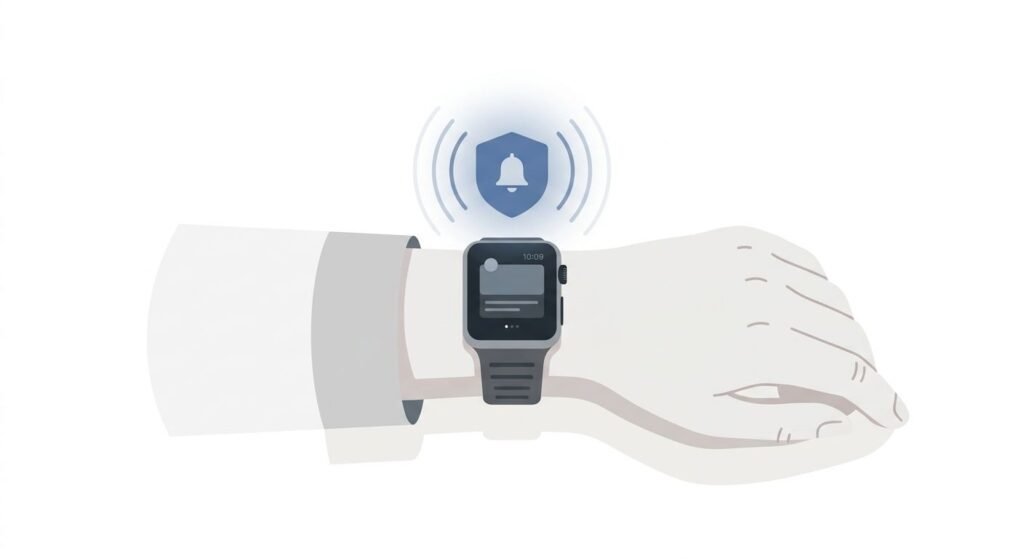
Falls are the leading cause of injury among adults over 65. Fall detection — where a tracker automatically detects a sudden impact and, if you don’t respond, sends an alert to emergency contacts or calls emergency services — is one of the most valuable features a senior’s fitness tracker can have. Not all trackers offer fall detection, and the quality varies significantly. Apple Watch has the most reliable fall detection available in a consumer wearable. Garmin offers fall detection on select models. Budget trackers rarely include it. If fall detection is a priority — and for most seniors living alone, it should be — factor this heavily into your decision.
Heart Rate Monitoring and Health Alerts
Continuous heart rate monitoring is standard on most fitness trackers now, but accuracy varies. Optical heart rate sensors (the green light on the back of the device) work well for resting heart rate and general activity monitoring. For clinically meaningful data, look for trackers that also offer ECG (electrocardiogram) capability — this can detect irregular heart rhythms like atrial fibrillation, which becomes more common with age and significantly increases stroke risk. Blood oxygen (SpO2) monitoring is also worth having. Low blood oxygen can indicate respiratory issues, sleep apnea, or early signs of illness. For context on how wearables measure these metrics, our guide on How BIA (Bioelectrical Impedance) Actually Measures Body Fat at SmartBuyLabs covers how consumer health sensors work and where their limitations lie — worth reading before placing too much trust in any single number.
Battery Life: Longer Is Always Better
Charging a smartwatch every night is a habit that seniors may find easy to forget, and a dead tracker is a tracker that isn’t protecting you. Look for devices with at least 5 days of battery life. Garmin and Fitbit models in this roundup offer considerably longer than that. The Apple Watch is the notable exception — its 18-hour official battery life (in practice, 1.5 to 2 days) means daily charging is a reality.
Ease of Setup and the Companion App
A fitness tracker is only as useful as its app. If the companion app is cluttered, confusing, or requires an account through three different sign-in steps, many seniors will simply give up. Look for apps with clean interfaces, large text options, and straightforward navigation. Fitbit’s app is widely considered the most approachable for non-technical users. Apple Health is comprehensive but can be overwhelming. Garmin Connect has a learning curve but rewards users with detailed health insights. Also consider whether a family member will need to help with initial setup. Trackers that require minimal phone interaction after the first sync are preferable.
#1 — Apple Watch SE (2nd Generation)
Best Overall Fitness Tracker for Seniors — iPhone Users
| Specification | Detail |
|---|---|
| Display | 1.57-inch Retina LTPO OLED (40mm) or 1.78-inch (44mm) |
| Always-On Display | No (raises to wake) |
| Fall Detection | Yes (automatic) |
| Emergency SOS | Yes (calls emergency services + notifies contacts) |
| Heart Rate | Continuous optical + high/low alerts |
| ECG | No (ECG is Apple Watch Series 9/Ultra only) |
| SpO2 | No |
| GPS | Built-in |
| Battery Life | Up to 18 hours (approx. 1.5–2 days real-world) |
| Water Resistance | 50 metres |
| Compatibility | iPhone only |
Check current price on Amazon
For seniors who already use an iPhone, the Apple Watch SE is the closest thing to a perfect recommendation in this category. It isn’t the cheapest option on this list, and its battery life is the worst of the four — but no other consumer device combines fall detection, Emergency SOS, readable display, and genuine ease of use as seamlessly as Apple Watch. The fall detection system is the standout feature for seniors living alone. When the watch detects a hard fall, it taps your wrist and sounds an alarm. If you don’t respond within a minute, it automatically calls emergency services and sends your location to your emergency contacts. This isn’t a future feature — it has demonstrably saved lives, and it works without any manual activation once enabled. The display is large, bright, and highly readable — particularly on the 44mm version. Text size is adjustable both on the watch face and in the Apple Health app.
The Digital Crown (the rotating side button) means navigating menus doesn’t require tapping tiny on-screen icons, which is a significant usability advantage for people with reduced dexterity. The honest limitation is the battery. Eighteen hours is Apple’s official figure — in real-world use with the screen checking, notifications, and GPS, expect to charge every night. For a senior who is already plugging in their phone overnight, pairing the watch charge with that habit is manageable. But for anyone who forgets, a dead Apple Watch provides zero protection. The SE also lacks ECG and SpO2 — for those health features, you’d need to step up to the Apple Watch Series 9, which sits above the price point this roundup targets. The Apple Watch SE is also iPhone-only. Android users should look at the Fitbit Charge 6 or Garmin Vivoactive 5 instead.
Pros:
- Best-in-class fall detection with automatic Emergency SOS and location sharing
- Large, bright, readable display with adjustable text sizes
- Seamless iPhone and Apple Health integration — minimal setup friction
- Digital Crown navigation makes menu use easier for people with reduced dexterity
- Swim-proof to 50 metres — suitable for aqua aerobics and showering
Cons:
- Battery life of approximately 18 hours requires daily charging
- iPhone only — not compatible with Android phones
- No ECG or SpO2 monitoring at this price point (those features are on pricier models)
Who Should Buy This: Seniors who use an iPhone and want the most reliable fall detection available. Anyone who prioritises peace of mind for themselves or a loved one living alone. Those who value a polished, intuitive interface above all else. Who Should Skip This: Android users — full stop. Seniors who are likely to forget daily charging. Those on a strict budget or who want ECG monitoring without paying more.

- WHY APPLE WATCH SE — All the essentials to help you monitor your fitness, keep connected, track your health, and stay sa…
- EASILY CUSTOMIZABLE — Available in a range of sizes and colors, with dozens of bands to choose from and watch faces with…
- HEALTH AND SAFETY FEATURES — Get help when you need it with Crash Detection, Fall Detection, and Emergency SOS. Get deep…
#2 — Fitbit Charge 6
Best for Simplicity and Long Battery Life
| Specification | Detail |
|---|---|
| Display | 1.04-inch AMOLED colour touchscreen |
| Always-On Display | Yes (optional, reduces battery) |
| Fall Detection | No |
| Emergency SOS | No |
| Heart Rate | Continuous + ECG app |
| ECG | Yes (via Fitbit app, FDA-cleared) |
| SpO2 | Yes |
| GPS | Built-in |
| Battery Life | Up to 7 days |
| Water Resistance | 50 metres |
| Compatibility | Android and iPhone |
Check current price on Amazon
Fitbit has been making health trackers longer than almost anyone else, and the Charge 6 represents the most mature, polished version of their core proposition: a slim, comfortable tracker that monitors your health clearly, charges infrequently, and doesn’t try to be a full smartwatch. For seniors who want reliable health data without a steep learning curve, it’s an excellent choice. The Fitbit app is consistently rated as the most user-friendly health tracking app available. The main dashboard shows your daily steps, heart rate, sleep score, and activity in large, clear tiles. Navigation is straightforward — no buried menus, no confusing icons. For a senior who is new to health tracking entirely, the Fitbit app is the gentlest onboarding experience available, and the tracker itself requires very little interaction beyond the occasional swipe. Seven days of battery life is a genuine quality-of-life advantage.
Charging once a week is easy to remember and easy to schedule. The ECG feature — FDA-cleared and accessible directly from the watch — can detect atrial fibrillation, which is meaningful for seniors in the age group where AFib risk increases significantly. The SpO2 sensor monitors blood oxygen levels during sleep, which can flag potential sleep apnea patterns over time. The honest limitation is the display. At 1.04 inches, the Charge 6 screen is smaller than the Apple Watch or Garmin Vivoactive 5, and the always-on mode drains battery faster. Text can be harder to read for seniors with vision difficulties, particularly in bright sunlight. There is also no fall detection or Emergency SOS — if those features are a priority, the Apple Watch SE is the better choice. The Charge 6 works with both iPhone and Android, making it the most universally compatible choice on this list.
Pros:
- Seven-day battery life means weekly charging, not daily
- Fitbit app is the most approachable health tracking interface for non-technical users
- FDA-cleared ECG for atrial fibrillation detection — meaningful health monitoring
- SpO2 sleep monitoring for blood oxygen and sleep apnea patterns
- Works with both Android and iPhone
Cons:
- No fall detection or Emergency SOS — a significant gap for seniors living alone
- 1.04-inch display is the smallest on this list — can be difficult to read for those with vision issues
- Requires a Fitbit Premium subscription for some of the deeper health insights
Who Should Buy This: Seniors who want simple, reliable health tracking without the complexity of a full smartwatch. Android users who want ECG capability. Anyone who prioritises battery life and ease of app navigation over fall detection. Who Should Skip This: Seniors living alone for whom fall detection is a safety priority. Those with vision difficulties who need a larger display. Anyone who wants GPS tracking without carrying a phone.
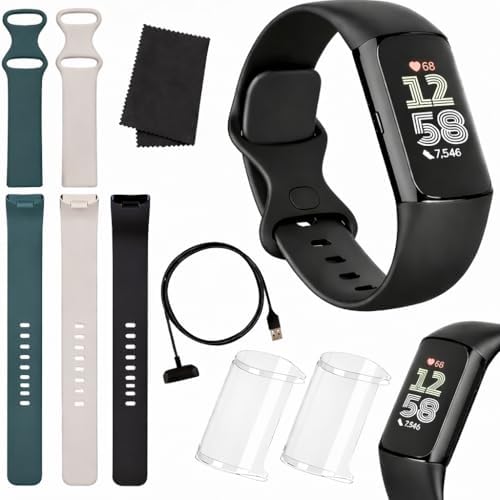
- COMPLETE ALL-IN-ONE-BUNDLE: Includes Fitbit Charge 6 Black/Obsidian, rapid USB charger, and a premium microfiber cleanin…
#3 — Garmin Vivoactive 5
Best for Health Detail and GPS Accuracy
| Specification | Detail |
|---|---|
| Display | 1.2-inch AMOLED colour touchscreen |
| Always-On Display | Yes |
| Fall Detection | No (available on Garmin Instinct 2 series) |
| Emergency SOS | No |
| Heart Rate | Continuous optical + HRV status |
| ECG | No |
| SpO2 | Yes |
| GPS | Multi-band GPS (highly accurate) |
| Battery Life | Up to 11 days (smartwatch mode) |
| Water Resistance | 50 metres |
| Compatibility | Android and iPhone |
Check current price on Amazon
Garmin has built its reputation on accuracy, and the Vivoactive 5 lives up to it. If a senior or their family wants the most detailed, reliable health data in an easy-to-read package — and isn’t specifically prioritising fall detection — this is the tracker to consider. The Vivoactive 5 offers genuinely impressive health monitoring in a watch-sized package that looks appropriate for any occasion. The always-on AMOLED display is a standout feature for seniors. Rather than requiring a wrist flick or button press to see the time and health data, the screen stays visible at all times. This removes a common friction point for older adults — the gesture to wake an Apple Watch or Fitbit is simple in theory but can feel unreliable in practice. With the Vivoactive 5, a glance is all that’s needed. The health monitoring suite is comprehensive: continuous heart rate, HRV (heart rate variability) status — a stress and recovery indicator — SpO2 blood oxygen, sleep tracking with sleep score, body battery energy monitoring, and over 30 built-in sport modes.
For seniors who want to understand their health holistically rather than just counting steps, Garmin provides the richest data set in this roundup. The eleven-day battery life (in smartwatch mode, with always-on display off) is exceptional. With always-on display enabled, expect around six days — still far better than daily charging. The honest trade-off is the Garmin Connect app. It is genuinely more detailed than Fitbit or Apple Health, but it takes longer to learn. For seniors who are comfortable with technology or who have a family member to help with initial setup, this is a manageable learning curve. For someone who wants a plug-and-play experience with zero app navigation, Fitbit is the better choice. For seniors interested in understanding the HRV data the Vivoactive 5 tracks, our article on Heart Rate Zones Explained: What Different BPM Ranges Mean for Fitness at SmartBuyLabs explains what these numbers mean and how to use them.
Pros:
- Always-on AMOLED display — no wrist flick needed, ideal for seniors
- Eleven-day battery life (smartwatch mode) — minimal charging frequency
- Comprehensive health monitoring including HRV, SpO2, Body Battery, and sleep
- Multi-band GPS is among the most accurate available in a consumer wearable
- Works with both Android and iPhone
Cons:
- No fall detection or Emergency SOS
- Garmin Connect app has a steeper learning curve than Fitbit or Apple Health
- No ECG capability for atrial fibrillation detection
Who Should Buy This: Health-conscious seniors who want detailed, accurate data and have some comfort with technology. Walkers and outdoor enthusiasts who want precise GPS tracking. Anyone who wants an always-on display with multi-day battery life. Who Should Skip This: Seniors who need fall detection as a priority. Those who want a completely plug-and-play experience with no app learning curve. iPhone users who are already deeply embedded in the Apple ecosystem.

- Designed with a bright, colorful AMOLED display, get a more complete picture of your health, thanks to battery life of u…
- Body Battery energy monitoring helps you understand when you’re charged up or need to rest, with even more personalized …
- Get a sleep score and personalized sleep coaching for how much sleep you need — and get tips on how to improve plus key …
#4 — Samsung Galaxy Fit3
Best Budget Pick for Android Users
| Specification | Detail |
|---|---|
| Display | 1.6-inch AMOLED colour touchscreen (largest in this roundup) |
| Always-On Display | Yes |
| Fall Detection | No |
| Emergency SOS | No |
| Heart Rate | Continuous optical |
| ECG | No |
| SpO2 | Yes |
| GPS | No built-in GPS (uses phone GPS) |
| Battery Life | Up to 13 days |
| Water Resistance | 50 metres (5ATM) |
| Compatibility | Android only (Samsung Health app) |
Check current price on Amazon
The Samsung Galaxy Fit3 is the most affordable tracker in this roundup, and it makes a surprisingly compelling case for itself on the spec sheet. The 1.6-inch AMOLED display is the largest screen of any device in this list — genuinely easy to read, sharp, and bright. Thirteen days of battery life means charging roughly twice a month. And the always-on display works without dramatically accelerating battery drain. For seniors on a budget who use Android, this is a strong entry point. The large display deserves real emphasis. For seniors with vision difficulties, the Galaxy Fit3’s screen size is a meaningful practical advantage over the Fitbit Charge 6 or Garmin Vivoactive 5. Text is clearer, notifications are easier to read, and the health data — steps, heart rate, sleep score — is presented in a format that doesn’t require squinting. The Samsung Health app is clean and well-designed, particularly if you already use a Samsung Android phone where it comes pre-installed.
The health monitoring covers the basics well: continuous heart rate, SpO2 blood oxygen, sleep tracking, menstrual cycle tracking, and over 100 workout modes. For everyday senior fitness tracking — walks, daily steps, sleep quality — this covers everything most people need. The honest limitations are the lack of GPS and the Android-only compatibility. Without built-in GPS, outdoor walk distance and route tracking requires carrying your phone. This isn’t a dealbreaker for most seniors, but it’s worth knowing. The Galaxy Fit3 also lacks fall detection, ECG, and works only with Android — Samsung users with Galaxy phones will have the smoothest experience, while users of other Android phones may find some features limited.
Pros:
- Largest display (1.6-inch AMOLED) in this roundup — easiest to read for those with vision difficulties
- Thirteen-day battery life — one of the longest in this category
- Always-on display option with manageable battery impact
- Excellent value — health monitoring fundamentals at a budget price
- 50-metre water resistance suitable for swimming
Cons:
- Android only — iPhone users cannot use this tracker
- No built-in GPS — outdoor distance tracking requires carrying a phone
- No fall detection, no ECG, no Emergency SOS
Who Should Buy This: Budget-conscious seniors who use Android and want the largest, most readable display available. Anyone who primarily tracks daily steps, heart rate, and sleep without needing GPS. Samsung Galaxy phone users who want seamless ecosystem integration. Who Should Skip This: iPhone users — this tracker is Android only. Seniors who need fall detection or emergency features. Walkers and outdoor enthusiasts who want GPS route tracking without a phone.
![SAMSUNG Galaxy FIT 3 [2024] 1.6" AMOLED Display | 14 Days Battery...](https://m.media-amazon.com/images/I/31JyN7HkB8L._AC_.jpg)
- Vibrant 1.6” AMOLED Display – Large, high-res screen with smooth touch for easy navigation
- 5ATM & IP68 Water Resistance – Swim-ready and dust-resistant for active lifestyles
- Up to 14 Days Battery Life – Powerful 208mAh battery for long-lasting performance
- 101+ Workout Modes with Auto Detection – Automatically tracks common workouts for seamless fitness tracking. Advanced He…
- International Model No Warranty in the US. Compatible with Android and iOS devices. Samsung Pay – Not Supported.
Side-by-Side Comparison Table
| Product | Display | Fall Detection | ECG | Battery Life | GPS | Compatibility | Best For |
|---|---|---|---|---|---|---|---|
| Apple Watch SE 2nd Gen | 1.57–1.78″ OLED | Yes | No | ~18 hours | Yes | iPhone only | Safety & fall detection |
| Fitbit Charge 6 | 1.04″ AMOLED | No | Yes (FDA) | 7 days | Yes | Android + iPhone | Simplicity & heart health |
| Garmin Vivoactive 5 | 1.2″ AMOLED | No | No | 11 days | Yes | Android + iPhone | Accuracy & health detail |
| Samsung Galaxy Fit3 | 1.6″ AMOLED | No | No | 13 days | No (phone) | Android only | Budget + large display |
Frequently Asked Questions
Do fitness trackers actually help seniors stay healthier? Yes — with some important caveats. Fitness trackers are proven to increase daily step counts and awareness of activity levels. The accountability of seeing your steps, heart rate, and sleep quality in one place motivates many people to make small, consistent improvements. The health alert features — particularly heart rate irregularity alerts and, on Apple Watch, fall detection — can provide genuine safety benefits. However, trackers are not medical devices and should not replace regular check-ups with a doctor.
What is the most important feature for a senior’s fitness tracker? It depends on the individual’s situation. For seniors living alone, fall detection is arguably the most important feature — and that means the Apple Watch SE is the strongest choice. For seniors who want health monitoring without a safety focus, a simple interface and long battery life matter most, which points to the Fitbit Charge 6 or Samsung Galaxy Fit3. There is no single right answer, but fall detection and display readability are the two features most specific to senior needs.
Are fitness trackers difficult to set up for older adults? The setup complexity varies significantly. Fitbit is the most straightforward — download the app, create an account, pair the device, and the tracker guides you through the rest. Apple Watch setup is simple if you have an iPhone and follow the on-screen prompts. Garmin requires the most technical patience. For any tracker, having a family member assist with the first setup is sensible — after initial configuration, all four trackers in this roundup require minimal ongoing phone interaction.
What is fall detection and how reliable is it? Fall detection uses the tracker’s accelerometer and gyroscope to identify the specific motion pattern of a hard fall — a sharp downward acceleration followed by a sudden stop. When detected, the watch alerts the wearer and, if there is no response, automatically contacts emergency services. Apple Watch has the most reliable consumer fall detection available, validated through multiple independent studies and real-world cases. It is not perfect — it can produce false positives during activities like slamming a car door — but it is far better than no detection at all.
Can these trackers detect atrial fibrillation? The Fitbit Charge 6 includes an FDA-cleared ECG app that can detect atrial fibrillation. The Apple Watch SE does not include ECG — that feature is on the Series 9 and Ultra models. The Garmin Vivoactive 5 and Samsung Galaxy Fit3 do not have ECG. If AFib detection is a priority, the Fitbit Charge 6 is the best choice in this roundup. For more on what heart rate data means in practice, see our guide on Heart Rate Zones Explained: What Different BPM Ranges Mean for Fitness at SmartBuyLabs.
How long do fitness tracker batteries last and how do you charge them? Battery life in this roundup ranges from approximately 18 hours (Apple Watch SE) to 13 days (Samsung Galaxy Fit3). All four trackers charge via a magnetic clip or USB cable that attaches to the back of the device. The Apple Watch charges on any Qi-compatible pad or Apple Watch charger. The others use proprietary magnetic clips — keep the charger somewhere memorable, as they are small and easy to lose. For daily-charging devices like the Apple Watch, pairing the charge habit with a nightly phone charge works well for most seniors.
Our Verdict
All four trackers in this roundup are real, purchasable products representing the best options for seniors in 2026. The right choice comes down to three questions: Do you need fall detection? What phone do you use? And how much do you want to spend? For fall detection and safety: Apple Watch SE is the only choice in this roundup with automatic fall detection and Emergency SOS. If a senior lives alone, this feature alone justifies the daily charging trade-off. For simplicity and heart health monitoring: Fitbit Charge 6 has the most approachable app, FDA-cleared ECG, and seven-day battery life. It works with both iPhone and Android and is the best choice for a first-time tracker user. For detailed health data: Garmin Vivoactive 5 gives the richest health monitoring, the most accurate GPS, and an always-on display with eleven-day battery life.
Best for seniors who are comfortable with technology and want to understand their health in depth. For budget Android users: Samsung Galaxy Fit3 has the largest display of any tracker in this roundup — genuinely the easiest to read — thirteen-day battery life, and strong everyday tracking at a low price. Your health is worth investing in at every age. A fitness tracker that you’ll actually wear, actually read, and actually trust is worth far more than a spec-sheet winner that sits in a drawer after three weeks. Start with what matters most to you — safety, simplicity, or health detail — and choose accordingly.
Some links in this article are affiliate links. If you purchase through them, we may earn a small commission at no extra cost to you. This helps us keep SmartBuyLabs running. We only recommend products we’ve researched thoroughly.