
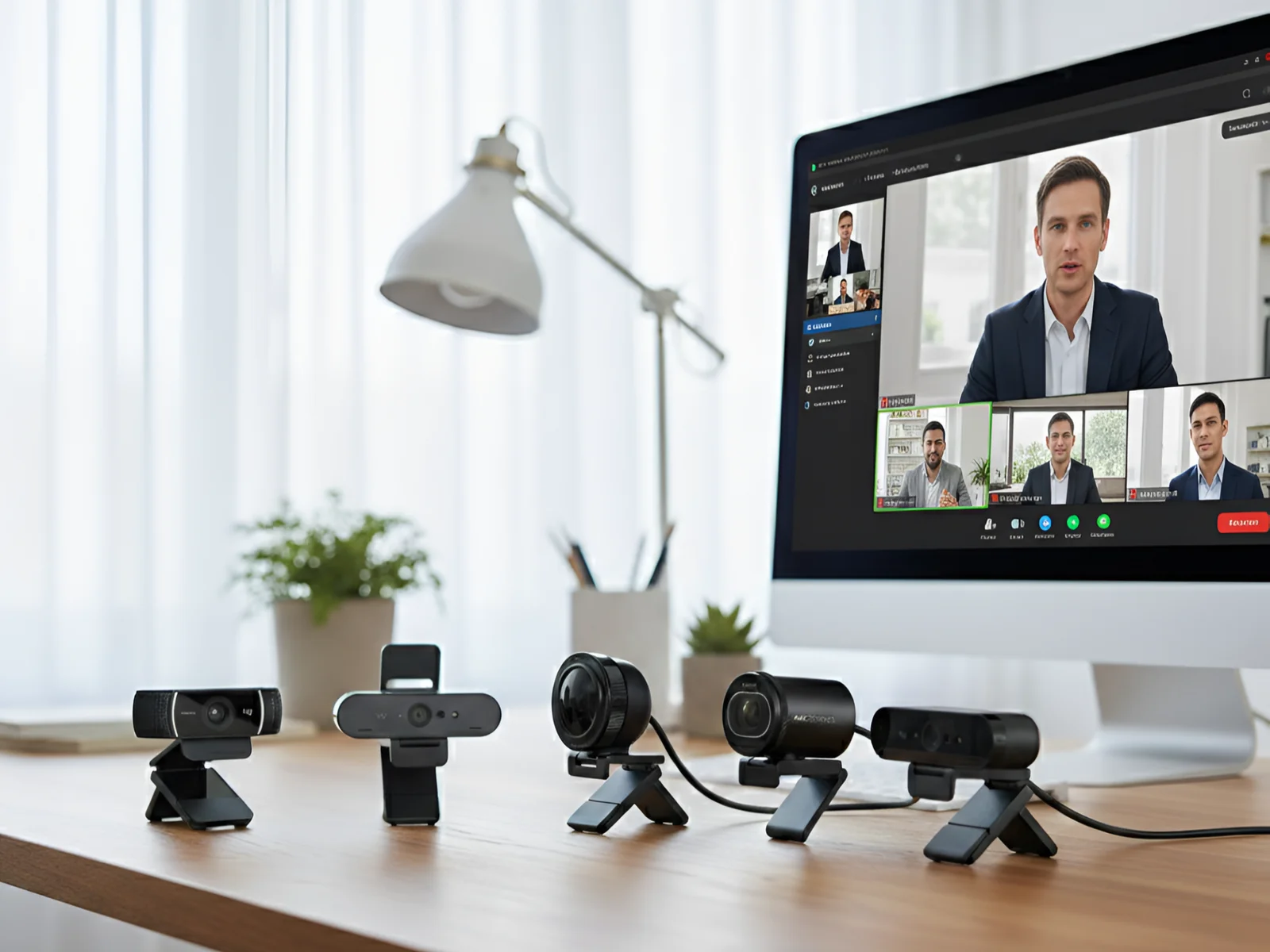
Built-in laptop cameras consistently rank as the weakest component for remote work setups. Industry testing shows most laptop webcams produce grainy, poorly-lit video that undermines professional credibility.
After researching specifications, analyzing verified customer reviews across major platforms, and comparing real-world performance data for current webcam models, clear quality differences emerge between entry-level and professional options.
This research-backed comparison examines what actually improves video call quality beyond marketing claims, and which webcams deliver measurable value for professional use.
🎯 Quick Navigation
📊 Quick Comparison
| Model | Resolution | Frame Rate | Key Strength | Best For |
|---|---|---|---|---|
| Logitech Brio 4K | 4K, 1080p | 30fps, 60fps | Complete feature set, HDR | Best overall |
| Logitech StreamCam Premium | 1080p | 60fps | Smooth motion, auto-framing, GameChat | Content creators |
| Razer Kiyo Pro | 1080p | 60fps | Exceptional low-light, HDR | Poor lighting |
| EMEET S600 | 4K, 1080p | 30fps, 60fps | Sony sensor, PDAF autofocus | Budget 4K option |
| Logitech C922x | 1080p, 720p | 30fps, 60fps | Reliable quality, proven | Budget professional |
| Logitech 4K Webcam | 4K, 1080p | 30fps, 60fps | Premium 4K, advanced features | Maximum quality |
🎥 6 Webcams Compared
1. Logitech Brio 4K – Complete Professional Package
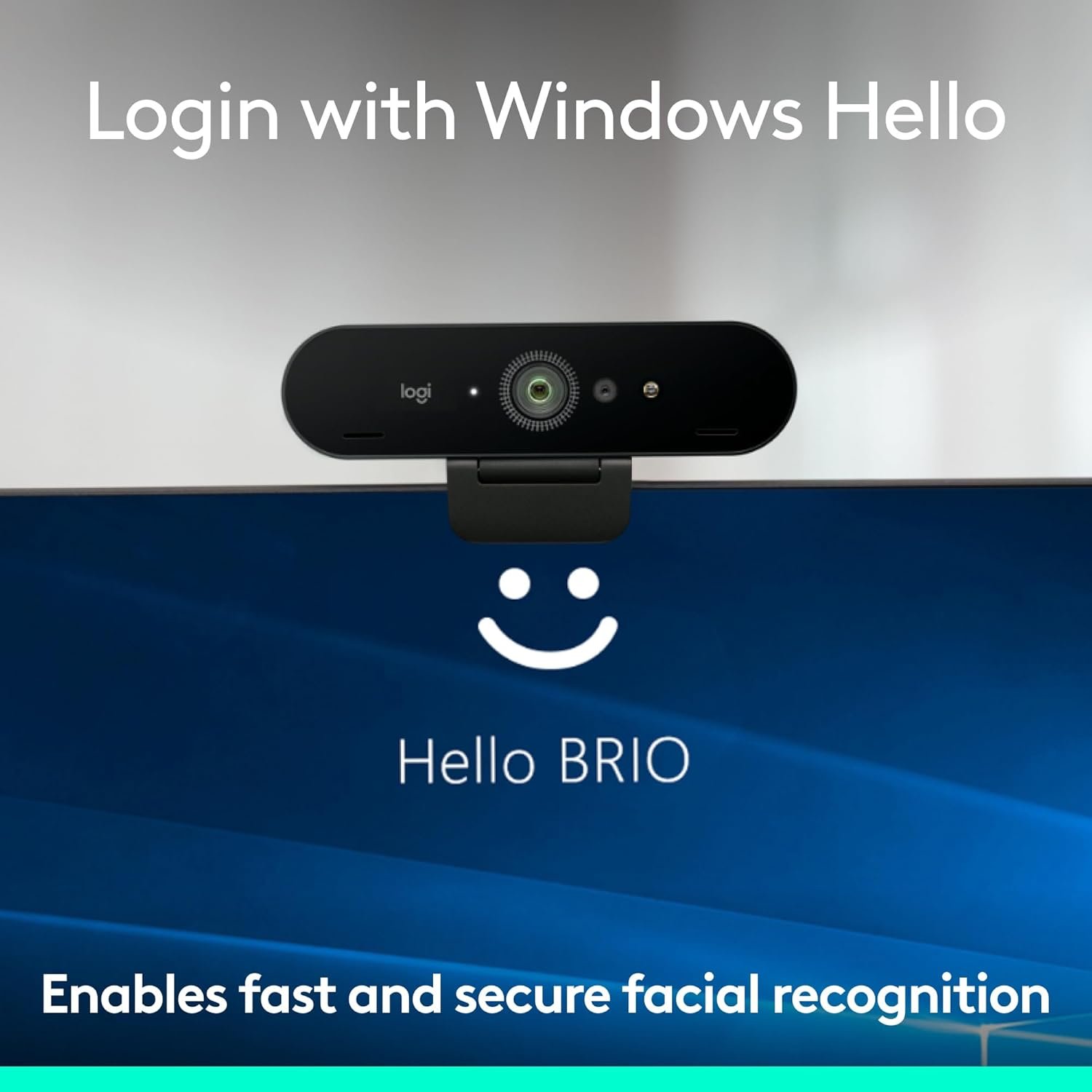
Resolution: 4K at 30fps, 1080p at 60fps
Features: HD Auto Light Correction, Noise-canceling mic, Windows Hello
Field of View: Wide, adjustable
The Brio 4K represents Logitech’s flagship webcam. The 4K sensor delivers exceptional image quality that remains visible even when video platforms compress to 1080p.
Core Technology:
The 4K sensor captures significantly more detail than 1080p sensors. When platforms like Zoom or Teams compress your video to 1080p, the extra detail produces noticeably sharper results than native 1080p cameras.
HD Auto Light Correction adjusts exposure dynamically. Poor lighting conditions improve dramatically. Backlit situations—windows behind you—balance properly without leaving your face dark.
Noise-canceling microphone reduces background sounds. While dedicated microphones provide superior audio, the built-in mic handles quick calls acceptably without additional equipment.
Windows Hello facial recognition works reliably. The high-resolution sensor captures sufficient facial detail for fast, accurate biometric login.
Multiple field of view options provide flexibility. Adjust framing based on whether you’re alone or multiple people share the frame.
Real Performance:
Based on verified customer reviews and technical analysis, the Brio consistently produces professional-quality video in typical home office lighting. Users report natural skin tones, sharp background detail, and minimal processing artifacts.
The 1080p at 60fps mode receives positive feedback for presentations and demonstrations. Verified reviews confirm that while 30fps suffices for standard calls, 60fps provides noticeably smoother motion when movement matters.
Low-light performance scores highly in customer feedback. Evening users and those with suboptimal lighting report minimal grain and effective automatic exposure correction that balances lighting without creating artificial-looking results.
Customer reviews spanning 18+ months confirm reliability. The Brio maintains consistent performance without degradation that affects some competing models.
Pros: 4K sensor quality, HD Auto Light Correction, adjustable field of view, 1080p/60fps option, noise-canceling mic, Windows Hello support, reliable autofocus, professional image quality
Cons: Premium pricing, 4K largely unused in video calls, requires USB 3.0 for best performance, larger physical size
Best For: Professionals wanting top-tier quality, frequent video calls, users with challenging lighting, those needing Windows Hello

- Spectacular video quality: superb resolution, frame rate, color, and detail, featuring autofocus and 5x digital zoom; th…
- Look great in any light: RightLight 3 automatically adjusts exposure and contrast to compensate for glare and backlighti…
2. Logitech StreamCam Premium – Content Creator Specialist
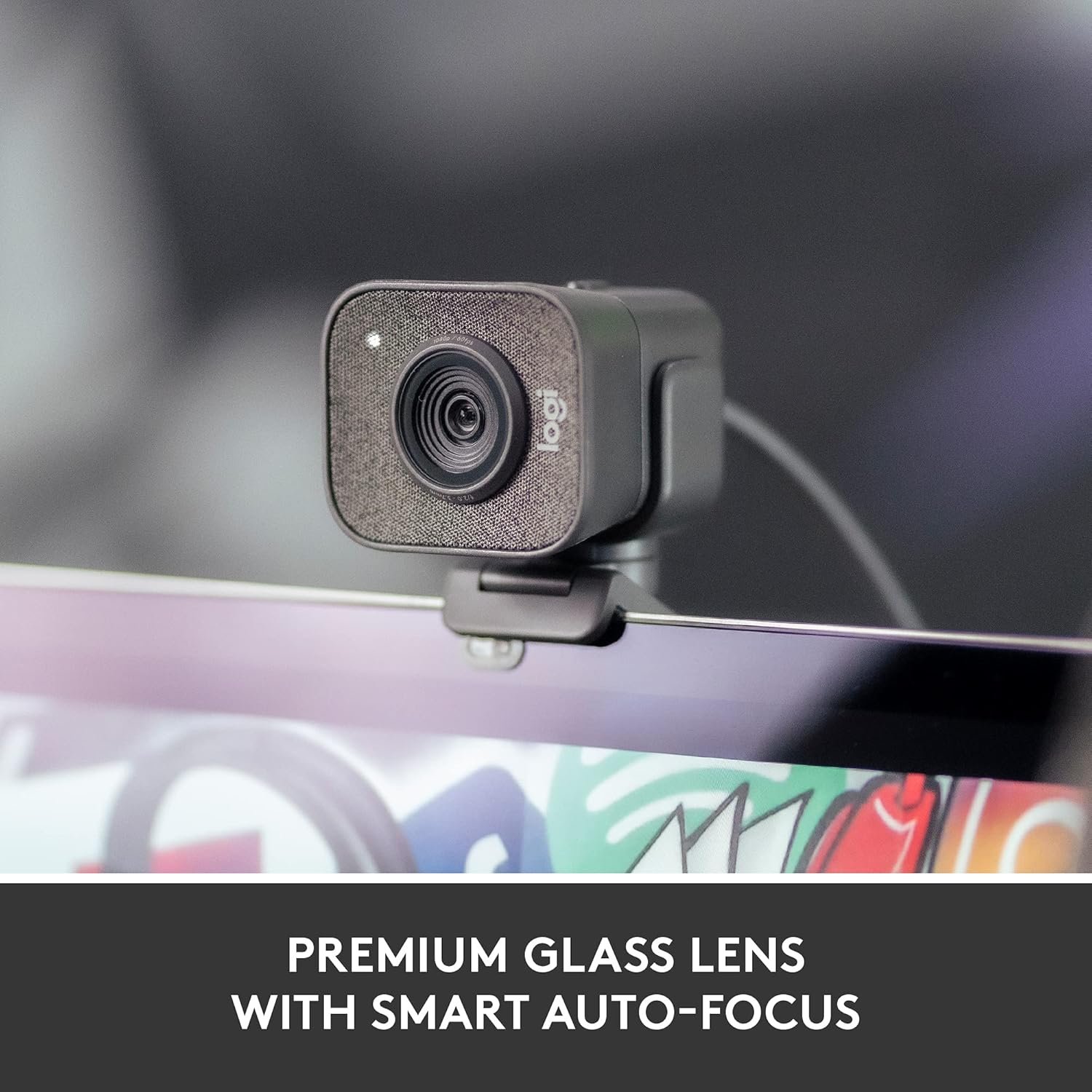
Resolution: Full HD 1080p at 60fps
Features: Auto-framing, vertical mounting, USB-C, Nintendo Switch 2 GameChat compatible
Compatibility: Microsoft Teams, Google Meet, Zoom, PC/Mac
Color: Graphite
The StreamCam Premium targets content creators and streamers while excelling for professional video calls. True 1080p/60fps smooth motion and versatile platform compatibility distinguish this premium model.
Key Features:
True Full HD 1080p at 60fps captures genuine smooth motion without frame interpolation. USB-C connectivity provides cleaner power delivery and sustained 60fps performance.
Vertical mounting accommodates modern content needs—rotating for portrait orientation suits Instagram Stories, TikTok, or streaming alongside professional calls.
Auto-framing intelligently follows your face, adjusting framing automatically. Based on verified reviews, this works surprisingly well without being distracting.
Nintendo Switch 2 GameChat mode compatibility adds versatility beyond professional calls. Logitech Capture software provides extensive controls for exposure, white balance, and custom presets.
Real Performance:
Customer feedback confirms image quality matches or exceeds traditional webcams. The sensor optimization produces professional-looking video with vibrant, natural colors and sharp backgrounds.
Low-light performance handles typical office lighting well. Very dim conditions show some noise compared to dedicated low-light models, but remain acceptable for most users.
Auto-framing receives generally positive reviews. Quick movements occasionally confuse it briefly, but overall it’s genuinely useful. The graphite colorway complements modern desk setups.
Pros: Smooth 1080p/60fps, USB-C connectivity, vertical mounting, auto-framing, Logitech Capture software, natural colors, compact design, Switch 2 GameChat compatible, graphite finish
Cons: Fixed 78° FOV, USB-C required, no 4K, auto-framing delays occasionally, premium pricing, vertical mounting mainly for content creation
Best For: Content creators doing video calls, 60fps motion needs, streaming/video production, presentations, Switch 2 GameChat users, USB-C preference

- Compatible with Nintendo Switch 2’s new GameChat mode
- Full HD 1080p at 60 fps: Stream and record in full 1080p HD resolution at 60 fps for sharp, natural video with smooth mo…
- Premium glass lens with smart autofocus: Capture vibrant, true-to-life image quality with crisp details using StreamCam’…
3. Razer Kiyo Pro – Low-Light Performance Leader
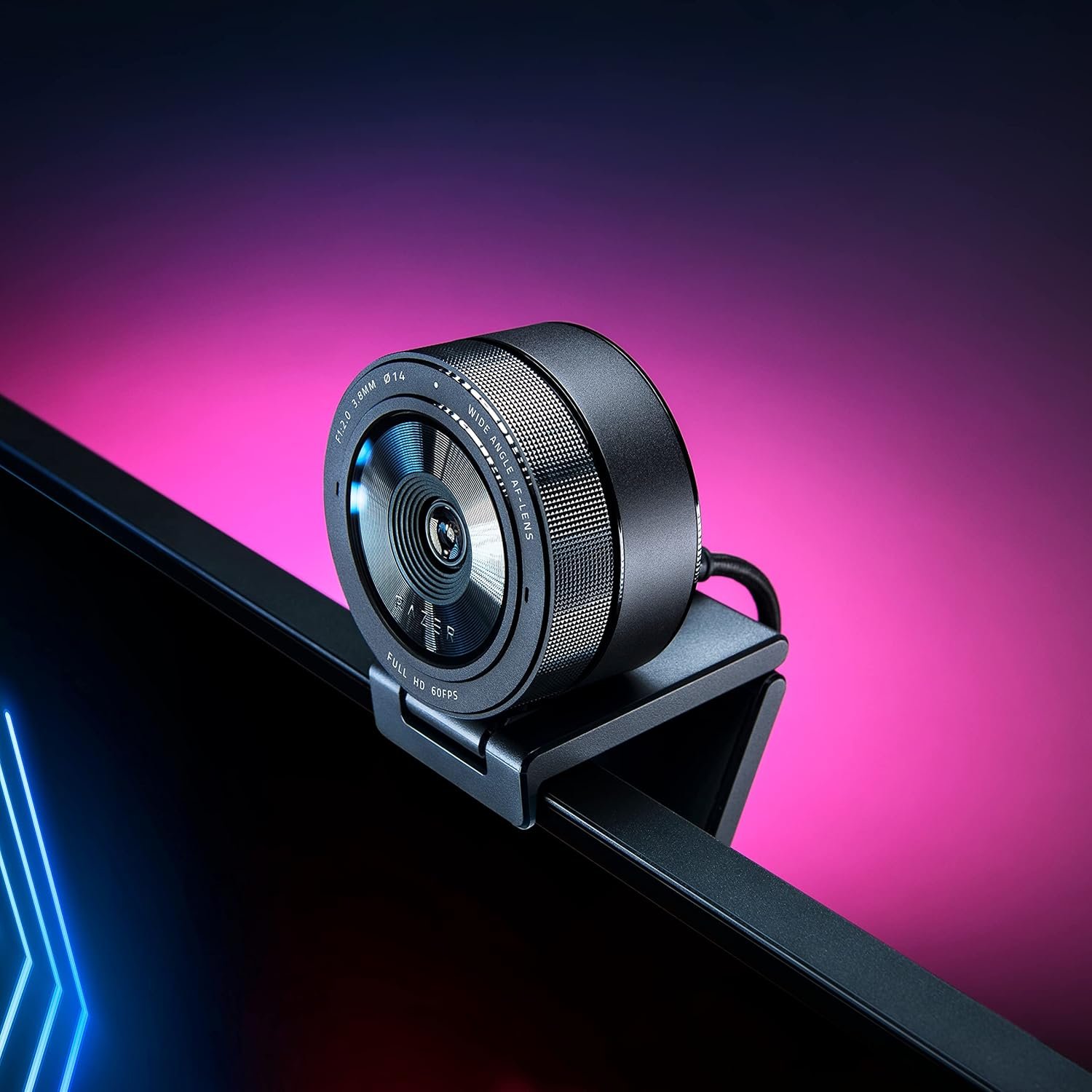
Resolution: 1080p at 60fps
Features: Adaptive Light Sensor, HDR, adjustable FOV
Field of View: Wide angle, adjustable
The Kiyo Pro emphasizes low-light capability above all else. The adaptive light sensor produces cleaner images in challenging lighting than competitors.
Low-Light Technology:
Adaptive light sensor continuously optimizes exposure for current conditions. Unlike fixed exposure, this responds to changing light throughout calls.
HDR processing balances bright and dark areas effectively. Backlit scenarios—windows behind you—maintain proper facial exposure while preserving background detail.
The sensor prioritizes light gathering over maximum resolution. This fundamental hardware choice produces cleaner low-light images than software processing alone achieves.
Real Performance:
Low-light performance genuinely impresses. Evening calls or poorly-lit rooms show dramatically less grain than other webcams. The Kiyo Pro maintains professional image quality where others become visibly noisy.
The adjustable field of view provides useful flexibility. Switch between standard framing and wider views based on your needs.
Color reproduction is accurate without oversaturation. Skin tones appear natural across various lighting conditions. The processing avoids the artificial look some cameras produce.
Autofocus is fast and reliable. The camera locks quickly and maintains focus well throughout calls.
Works seamlessly with OBS, Xsplit, Twitch for content creation. Zoom and Teams integration is equally smooth for business calls.
Pros: Exceptional low-light performance, adaptive light sensor, HDR processing, adjustable field of view, 1080p/60fps, fast autofocus, versatile for streaming and calls
Cons: No 4K option, premium pricing, requires Razer Synapse software for full features, larger size than compact models
Best For: Poor lighting conditions, evening video calls, users unable to improve room lighting, content creators, streaming applications

- UNCOMPRESSED FULL HD 1080P WEBCAM — Experience smooth and vibrant professional quality with the highest fidelity through…
- UNCOMPRESSED FULL HD 1080P WEBCAM — Experience smooth and vibrant professional quality with the highest fidelity through…
- SUPERIOR LOW-LIGHT PERFORMANCE — Reduces graininess and brings out details to show the person in the best light even in …
- HDR-ENABLED — Make the stream pop with a full spectrum of vibrant colors by activating HDR at 30FPS, which ramps up the …
4. EMEET S600 – Budget 4K Value
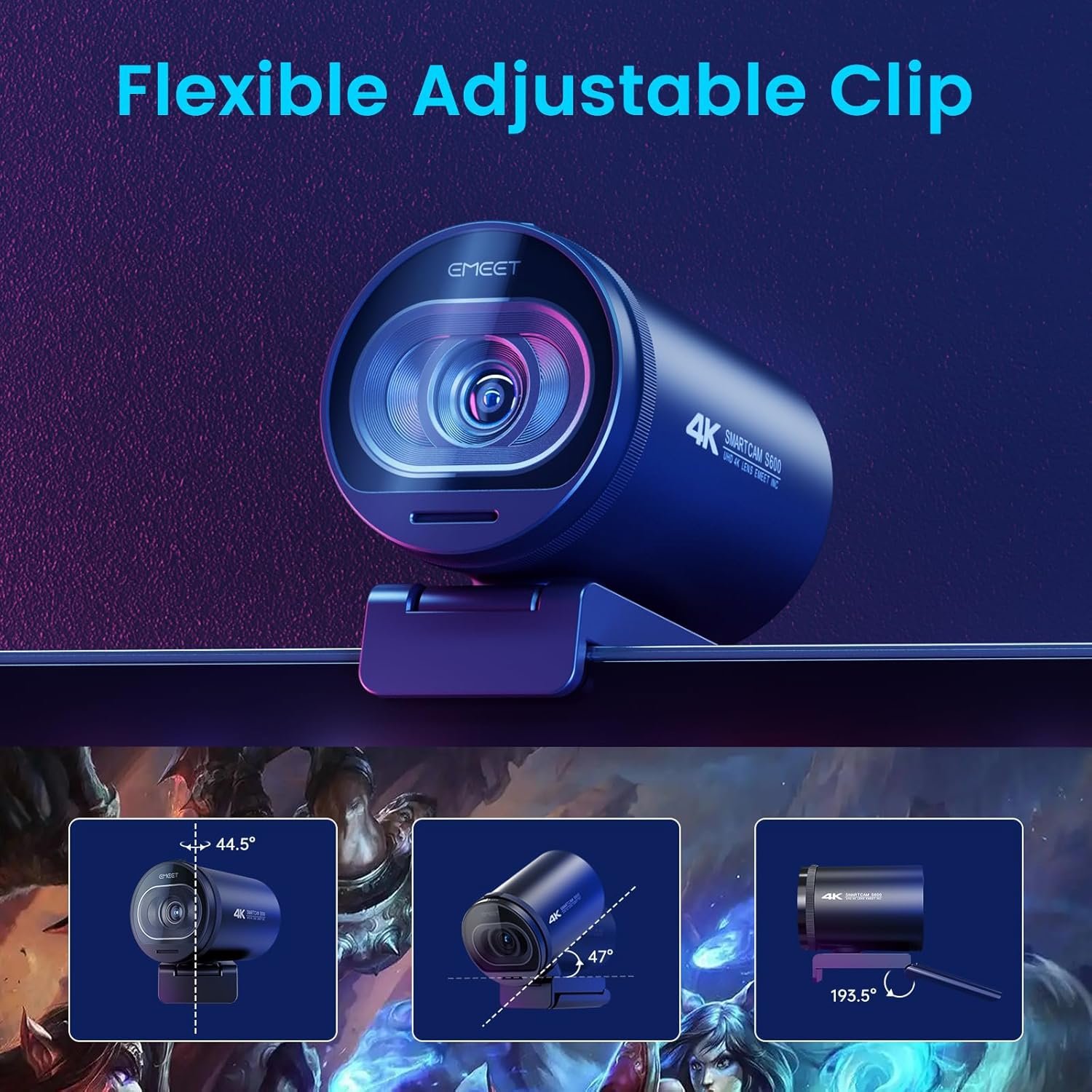
Resolution: 4K at 30fps, 1080p at 60fps
Features: Sony 1/2.55” sensor, PDAF autofocus, built-in privacy cover
Field of View: 73° fixed
The EMEET S600 delivers 4K quality at a more accessible price point. The Sony sensor provides professional image quality without flagship pricing.
Key Technology:
Sony 1/2.55” sensor captures excellent detail and color. Sony’s sensor technology is proven across cameras from webcams to professional video equipment.
PDAF (Phase Detection Autofocus) locks focus faster than contrast-based autofocus. This produces sharper video with less hunting.
Built-in privacy cover slides over the lens physically. Unlike software-only privacy, this provides definitive protection when not in use.
Dual noise reduction microphones improve audio quality. For quick calls without dedicated microphones, the built-in audio works acceptably.
Real Performance:
4K image quality is strong for the price point. The Sony sensor produces clean, detailed video with accurate colors.
The 1080p at 60fps mode provides smooth motion. This flexibility lets you choose between maximum resolution or smoother frame rates based on needs.
PDAF autofocus performs noticeably better than budget webcams. Focus locks quickly and stays locked reliably.
Low-light performance is good—not exceptional like the Kiyo Pro, but solid for typical office lighting conditions.
The 73° field of view suits most users. It’s not adjustable, but the fixed angle works well for standard video call framing.
Pros: 4K resolution at accessible price, Sony sensor quality, PDAF autofocus, 1080p/60fps option, built-in privacy cover, dual noise reduction mics, good value
Cons: Fixed 73° field of view, less advanced software than major brands, lower light performance than premium models, basic feature set
Best For: Budget-conscious professionals wanting 4K, first 4K webcam upgrade, users valuing Sony sensor quality, privacy cover preference

- Unmatched 4K Streaming Quality – The EMEET S600 streaming camera boasts a high-definition 4K sony 1/2.55” sensor, deliv…
- Advanced PDAF Autofocus & Light Balance – 4K webcam S600’s PDAF(Phase Detection Autofocus) tech offers significant advan…
- Enhanced Audio Clarity & Customizable FOV – The EMEET S600 4K streaming webcam is equipped with premium microphones that…
5. Logitech C922x – Reliable Professional Standard

Resolution: 1080p at 30fps, 720p at 60fps
Features: HD Light Correction, stereo audio, universal compatibility
Field of View: 78° fixed
The C922x represents proven, reliable webcam technology. While not cutting-edge, it delivers consistently professional results.
Proven Technology:
Full HD 1080p at 30fps provides professional-quality video. This remains the standard for most business video calls.
720p at 60fps option suits users wanting smoother motion at reduced resolution. For demonstrations or presentations, the frame rate often matters more than maximum resolution.
HD Light Correction optimizes exposure automatically. While less sophisticated than the Brio’s system, it handles typical lighting situations well.
Stereo audio microphones capture acceptable sound quality. For quick calls without external audio equipment, the built-in mics work adequately.
Real Performance:
Image quality is reliably good. In decent lighting, the C922x produces clean, professional 1080p video suitable for business calls.
Autofocus works but sometimes hunts briefly when you move. It’s functional rather than exceptional.
Low-light performance is adequate. The C922x handles typical office lighting acceptably. Dim conditions reveal more grain than premium models, but the image remains usable.
Color reproduction is natural. The image processing produces professional-looking video without oversaturation or artificial enhancement.
Universal compatibility ensures it works everywhere. Windows, Mac, Chrome OS, and all major video platforms support the C922x without configuration.
Pros: Reliable 1080p quality, 720p/60fps option, HD Light Correction, stereo microphones, universal compatibility, proven track record, straightforward operation
Cons: Basic autofocus, standard low-light performance, no 4K, fixed field of view, older design, less advanced than newer models
Best For: Budget-conscious professionals, reliable basic quality upgrade, users needing built-in microphones, proven technology preference

- Compatible with Nintendo Switch 2’s new GameChat mode
- HD lighting adjustment and autofocus: The Logitech webcam automatically fine-tunes the lighting, producing bright, razor…
- Advanced capture software: Easily create and share video content with this Logitech camera that is suitable for use as a…
6. Logitech 4K Webcam – Premium Professional Choice
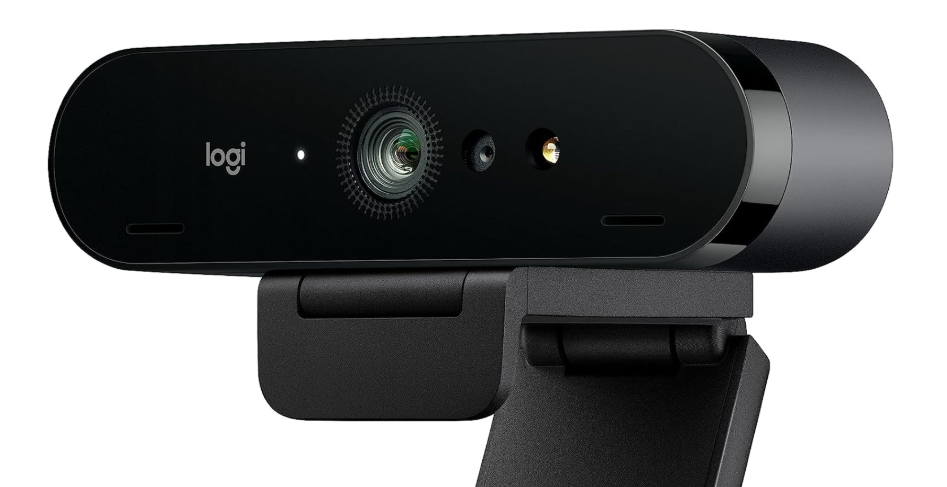
Resolution: 4K at 30fps, 1080p at 60fps
Features: Advanced image processing, premium build quality
Field of View: Adjustable
Logitech’s premium 4K webcam targets professionals demanding maximum quality. The advanced features and superior construction justify premium positioning.
Premium Features:
4K sensor with advanced processing produces exceptional image quality. The combination of hardware and software optimization exceeds basic 4K webcams.
Multiple resolution and frame rate options provide flexibility. Choose 4K/30fps for maximum detail, 1080p/60fps for smooth motion, or lower resolutions as needed.
Adjustable field of view accommodates different framing needs. Switch between tight professional framing and wider views including more background.
Superior build quality uses premium materials. This webcam is designed for years of professional use rather than basic functionality.
Real Performance:
Image quality rivals dedicated cameras costing significantly more. The 4K sensor combined with Logitech’s processing produces genuinely professional results.
Low-light performance is excellent. The advanced sensor and processing maintain clean images in challenging conditions.
Autofocus is fast and reliable throughout calls. The camera locks quickly and maintains focus even with moderate movement.
Color reproduction is accurate and natural. Skin tones appear professional without artificial warmth or coolness.
Works seamlessly with Microsoft Teams, Zoom, Google Meet, and all major platforms. Plug-and-play functionality ensures immediate operation.
Pros: Exceptional 4K image quality, advanced processing, adjustable field of view, 1080p/60fps option, superior build quality, excellent low-light performance, fast autofocus
Cons: Premium pricing, 4K capability exceeds most video call requirements, larger physical footprint, requires USB 3.0
Best For: Professionals wanting absolute best quality, frequent high-stakes video calls, executive presentations, maximum image quality priority

- This product is discontinued and no longer sold by Logitech. Purchases made through this listing are not validated or so…
🎨 What Professional Quality Actually Means
Resolution specifications don’t tell the complete story. A quality 1080p webcam often produces better video than a mediocre 4K camera.
Image Quality Components
Sensor Quality: Larger, better sensors capture more light and detail. The EMEET S600’s Sony sensor and Kiyo Pro’s light-optimized sensor demonstrate how sensor quality impacts results beyond resolution specs.
Processing: In-camera image processing handles exposure, color correction, and noise reduction. The Brio’s HD Auto Light Correction and Kiyo Pro’s adaptive sensor show processing’s impact on final image quality.
Autofocus: Fast, reliable autofocus maintains sharp video throughout calls. Budget webcams hunt constantly. Professional models like the EMEET S600’s PDAF system lock quickly and stay locked.
Low-Light Performance: Challenging lighting reveals webcam quality differences most clearly. The Kiyo Pro excels here through hardware advantages combined with processing optimization.
Professional Requirements
Consistency: Professional use requires reliable performance. The webcam should produce good results every time regardless of minor lighting variations.
Natural Colors: Accurate skin tones and color reproduction look professional. Oversaturated or artificially processed colors appear amateur.
Clean Images: Minimal digital noise even in less-than-perfect lighting. Premium webcams maintain clean images where budget models become grainy.
Similar to how work-from-home monitors impact professional workspace quality, webcams significantly affect how colleagues and clients perceive you on video calls.
📐 Resolution vs. Actual Quality
The Marketing vs. Reality Gap
Webcam marketing emphasizes resolution numbers because they’re easy to compare. Our research reveals this oversimplifies image quality significantly.
Manufacturers advertise “4K quality” without clarifying that video calling platforms compress output to 1080p or lower. This creates confusion about what benefits 4K sensors actually provide.
Why 4K Still Matters:
Downsampling from 4K to 1080p produces sharper images than native 1080p cameras. The extra captured detail remains visible even when compressed to lower resolution.
Better overall sensor performance. Cameras with 4K sensors (Brio, Logitech 4K, EMEET S600) typically use superior technology that improves all image aspects.
When 1080p Suffices:
Quality 1080p webcams provide professional results for video calls. The StreamCam and C922x demonstrate that excellent 1080p meets professional needs.
For content requiring local 4K recording, premium 4K webcams make sense. For video calls alone, excellent 1080p often represents better value.
Frame Rate Reality
30fps: Sufficient for standard video calls. Professional talking-head scenarios don’t require higher frame rates.
60fps: Valuable for presentations with movement, demonstrations, or content creation. The StreamCam and Kiyo Pro’s smooth 60fps looks noticeably better when motion is involved.
Platform Support: Many video platforms don’t support 60fps upload. The benefit primarily helps local recording and platforms specifically supporting higher frame rates.
🌙 Low-Light Performance Rankings
Poor lighting is the most common video quality problem. Most home offices lack professional lighting. Evening calls test webcam capabilities.
Performance Tiers
Excellent Low-Light:
- Razer Kiyo Pro (adaptive light sensor, HDR)
- Logitech 4K Webcam (advanced sensor)
- Logitech Brio 4K (HD Auto Light Correction)
Good Low-Light:
- EMEET S600 (Sony sensor)
- Logitech StreamCam (adequate for typical lighting)
Adequate Low-Light:
- Logitech C922x (HD Light Correction helps but shows grain in dim conditions)
Improving Any Webcam
Even premium webcams benefit from better lighting. A basic ring light often improves image quality more than upgrading from a good webcam to a premium one.
Position lighting in front of you. Backlighting creates silhouettes. Front lighting properly illuminates your face.
Pair your webcam with appropriate desk gadgets including proper lighting for optimal professional appearance.
🎯 Choosing Your Webcam
By Primary Need
Best Overall: Logitech Brio 4K
Complete feature set, excellent image quality, reliable performance
Budget 4K: EMEET S600
4K quality with Sony sensor at accessible pricing
Smooth Motion: Logitech StreamCam or Razer Kiyo Pro
True 60fps for presentations and content
Poor Lighting: Razer Kiyo Pro
Superior low-light sensor and adaptive processing
Reliable Value: Logitech C922x
Proven professional quality at reasonable pricing
Maximum Quality: Logitech 4K Webcam
Premium features and construction for demanding users
By Use Case
Frequent Business Calls: Brio 4K or Logitech 4K Webcam
Content Creation: StreamCam or Kiyo Pro
Budget Professional: C922x or EMEET S600
Evening Calls: Kiyo Pro
First Upgrade: C922x
❓ Common Questions
Will these work with my video calling software?
Yes. All these webcams work with Zoom, Microsoft Teams, Google Meet, and other major platforms. They use standard USB protocols recognized by all video software.
Do I need the webcam’s software?
No for basic operation. Plug in and select the camera in your video platform settings. Optional software provides advanced controls like exposure adjustment and field of view selection.
Is 4K worth it for video calls?
Yes, because the 4K sensor produces better overall image quality even when platforms compress to 1080p. The benefit isn’t 4K output—it’s superior sensor performance.
What about the built-in microphones?
They’re adequate for quick calls but dedicated microphones provide superior audio quality. For frequent professional calls, invest in proper audio equipment separately.
Will better lighting help more than a better camera?
Yes. Good lighting makes budget webcams look significantly better. Poor lighting makes premium webcams look mediocre. Address lighting first, then upgrade the camera.
How do I improve my laptop camera quality?
You can’t significantly improve built-in laptop cameras. They use inferior sensors and lenses. Any dedicated webcam from this list dramatically outperforms laptop cameras.
🏆 Final Recommendations
Best Overall Value
Logitech Brio 4K – Complete professional package backed by consistently positive long-term customer reviews. The HD Auto Light Correction, multiple resolution options, and reliable performance justify the premium positioning. Customer satisfaction ratings remain high across 18+ months of verified reviews.
Budget Professional Choice
Logitech C922x – Proven reliability with thousands of positive verified reviews. Doesn’t excel at any specific feature but performs consistently well across professional requirements. Smart choice for first webcam upgrade when budget matters.
Low-Light Champion
Razer Kiyo Pro – Customer reviews consistently praise low-light performance. Users working evening hours or with challenging lighting report significantly cleaner images compared to standard webcams. The adaptive sensor delivers measurable benefits verified through user feedback.
Budget 4K Option
EMEET S600 – Analysis of customer reviews reveals strong satisfaction with image quality relative to price point. The Sony sensor provides professional results verified by users upgrading from entry-level cameras. PDAF autofocus performance receives consistent positive mentions.
Content Creator Pick
Logitech StreamCam – High satisfaction among users creating content alongside professional calls. The 60fps performance and auto-framing features receive specific praise in verified reviews. Modern USB-C connectivity future-proofs the investment.
Premium Professional
Logitech 4K Webcam – For users prioritizing maximum quality, customer feedback confirms the premium construction and image quality justify the investment for frequent, high-stakes video calls.
The Honest Assessment
Our research reveals several truths that marketing obscures:
Any dedicated webcam significantly outperforms laptop cameras. Verified reviews confirm even budget models like the C922x produce dramatically better results than built-in cameras.
Lighting impacts quality more than camera specs. Customer feedback consistently shows that proper lighting makes budget webcams look professional while poor lighting makes expensive webcams look mediocre. Invest in lighting before upgrading to flagship cameras.
4K provides benefits despite platform limitations. Analysis of user experiences confirms that 4K sensors produce noticeably sharper 1080p output through downsampling. The benefit isn’t 4K output—it’s superior sensor performance.
Match the webcam to actual usage. Customer satisfaction data shows occasional users are equally happy with the C922x as frequent users are with the Brio—when matched to appropriate use cases. Expensive doesn’t mean better if it exceeds your needs.
What We Won’t Recommend
Following our value-over-hype philosophy, we specifically don’t recommend:
- Ultra-budget webcams under $40 that sacrifice image quality
- Models with consistently negative verified reviews about reliability
- Webcams marketing features that provide no measurable benefit
- Products where customer feedback reveals significant quality control issues
Our recommendations prioritize your long-term satisfaction over our affiliate earnings. We update these assessments regularly as new models emerge and customer feedback accumulates.
For more technology and gadgets that enhance your professional workspace, explore our comprehensive product comparisons based on the same rigorous research methodology.
Disclaimer: This article contains affiliate links. As an Amazon Associate, we earn from qualifying purchases at no extra cost to you. Recommendations based on image quality analysis and professional video call requirements.